How Much RAM Do You Need for Gaming? (2026 Guide)
This guide contains affiliate links. If you buy through them, we may earn a commission at no extra cost to you.
16GB is the minimum for gaming in 2026 — enough for most games, but already being pushed in some newer titles. For any new build, 32GB is the smarter buy: Microsoft has pointed to it as the Windows 11 gaming baseline, and it eliminates the memory-pressure stutters that show up in games like Hogwarts Legacy and Crimson Desert. At gaming speeds, 32GB runs about $120 more than 16GB — a real premium, but one that buys double the capacity and removes memory risk for the next 2–3 years.
If you want RAM handled automatically for your budget, the PC Builder at MaxMyBuild selects the right capacity and speed for your platform, so you won't end up with a kit that bottlenecks an otherwise solid build.
Disclosure: Some links on this page are affiliate links — if you buy through them, MaxMyBuild earns a small commission at no extra cost to you. Prices and availability can change at any time.
Quick RAM Requirements at a Glance
| RAM | Verdict | Who it's for |
|---|---|---|
| 8GB | Avoid | Can't handle Windows 11 + a modern game at the same time |
| 16GB | Minimum | Works for most games today; ceiling is visible by 2027 |
| 32GB | Recommended | Microsoft's Windows 11 gaming baseline; no memory pressure in any current title |
| 64GB | Overkill | Only worth it if you also stream, edit video, or run heavy workloads alongside gaming |
New builds: buy 32GB if budget allows. At gaming speeds it costs roughly $120 more than 16GB, which is real money — but it buys double the capacity and removes memory risk for the next 2–3 years. If 16GB is where budget lands, that's a valid choice. Don't buy 8GB under any circumstances in 2026.
What RAM Actually Does in a Gaming PC
Think of RAM (Random Access Memory) as your PC's workbench — storage (SSD or HDD) is the filing cabinet where everything is kept long-term, but the workbench is where active work happens right now. When you launch a game, the CPU pulls the data it needs — game assets, AI state, physics calculations, audio — onto the workbench so it can access it instantly without constantly opening the filing cabinet. When the workbench fills up, Windows has to start shuffling things back and forth between RAM and storage mid-session. That's where stutters come from: not slower fps, but sudden freezes as the system catches up with itself.
Unlike VRAM (the dedicated memory on your GPU, covered in the VRAM guide), system RAM is upgradeable after the fact. You can add a second stick or swap to a larger kit without replacing anything else. It's one of the more forgiving components to get wrong initially — but getting it right upfront costs very little. For specific kit picks at gaming speeds, see the best RAM for gaming 2026 guide.
RAM Capacity Tiers — Which One You Actually Need
8GB — Not a Gaming Spec in 2026
Windows 11 uses 3–4GB of RAM at idle before you open a single application. Launch a game on top of that and you're immediately at the ceiling. The result: asset streaming failures, stutters while the OS swaps data to your SSD, load failures in newer titles, and in some cases outright crashes.
8GB was viable for gaming in 2019. In 2026, modern AAA titles list 16GB as their minimum system requirement, not a recommendation. Several games — including Hogwarts Legacy and Crimson Desert — have been measured consuming 16GB or more during active gameplay. If an 8GB system runs at all, it won't run well.
Avoid 8GB configurations. Gaming-speed 8GB DDR5 kits are effectively a dead product category — what exists is mostly slow single sticks with no place in a gaming build. You'll have a hard time even buying one intentionally.
16GB — The Current Minimum
16GB handles the vast majority of games currently available. Running a game alongside Discord, a browser with a handful of tabs, and background applications — 16GB manages this without issue for most titles in 2026.
The ceiling is getting closer, though. Hogwarts Legacy, Crimson Desert, and some texture-heavy open-world titles have been measured actively consuming 16GB+ during gameplay. When a 16GB system hits that threshold, Windows starts paging (pushing data between RAM and your SSD), and you'll feel it in 1% lows (the worst frame times that cause the stutters you notice during gameplay), even if average FPS looks fine.
16GB is the right choice if budget is the primary constraint. It works today, and you can always add a second stick later (see the dual-channel section below) to reach 32GB inexpensively.
32GB — The Recommended Amount for Any New Build
Microsoft has pointed to 32GB as the baseline for Windows 11 gaming — a signal made in early 2026 that reflects where the OS and game engines are heading, not where they were two years ago.
At gaming speeds, 32GB (2×16GB) kits start around $370 while 16GB dual-channel equivalents run about $250 — roughly $120 more. That's a real premium. But it buys double the capacity and eliminates memory-pressure risk for the next 2–3 years. At 32GB, no current game or combination of gaming and background applications will hit the memory ceiling.
For new builds in 2026, 32GB is the recommended target. If budget makes 16GB the only option, that's a valid starting point — but plan to add a second stick when you can, because the ceiling is getting closer.
64GB — Gaming Overkill
64GB is unnecessary for pure gaming. No current title approaches the 32GB ceiling, and the step up from 32GB to 64GB delivers no measurable gaming performance improvement.
The only gaming-adjacent reasons to consider 64GB are if you're simultaneously running OBS for streaming at high bitrate, video editing a gaming highlight reel, running a separate game server instance, or using virtual machines alongside gaming. If you're doing any of those, 64GB makes sense. For standard gaming — even at 4K with maximum settings — 32GB has headroom to spare.
One middle-ground option worth knowing about: 2×24GB (48GB) kits have become widely available in 2026 at prices close to 32GB. If you're doing heavy creative work alongside gaming and 32GB feels tight, a 48GB DDR5 kit gives you meaningful headroom without jumping all the way to 64GB. For gaming alone, 32GB is still the right call.
16GB vs 32GB — What the Benchmarks Actually Show
In average FPS, the difference between 16GB and 32GB is minimal — typically 1–5% across most titles. That's a rounding error compared to the impact of your GPU choice.
The real difference is in 1% lows: the worst frame times in a benchmark run, which represent the dips and stutters you actually feel during gameplay rather than the smooth average. When a game pushes toward the 16GB ceiling and Windows begins paging data between RAM and storage, 0.1% lows can spike dramatically — producing freezes that average FPS never captures.
According to Hardware Unboxed's December 2025 testing across a range of titles, average FPS differences between 16GB and 32GB ran 0–3% in most games, with larger gaps (up to 8–10%) in titles that push memory limits. The stutter pattern at 16GB was consistent across memory-hungry open-world games.
The practical conclusion: the average fps gain from 32GB is minimal, but the stutter floor improvement in demanding titles is real. At roughly $120 more than 16GB at gaming speeds, it's a meaningful premium — but one that buys double the capacity and removes an entire category of performance risk. For a new build, 32GB is the right target. If you're upgrading an existing 16GB system that's stuttering in newer games, adding a second matching stick to reach 32GB is the cheapest effective fix available.
For a full breakdown of how RAM selection fits into the overall build process, see the how to build a gaming PC guide and how to choose a CPU for gaming — RAM speed and capacity interact directly with CPU memory controller performance.
DDR4 vs DDR5 — Does the Type Matter for Gaming?
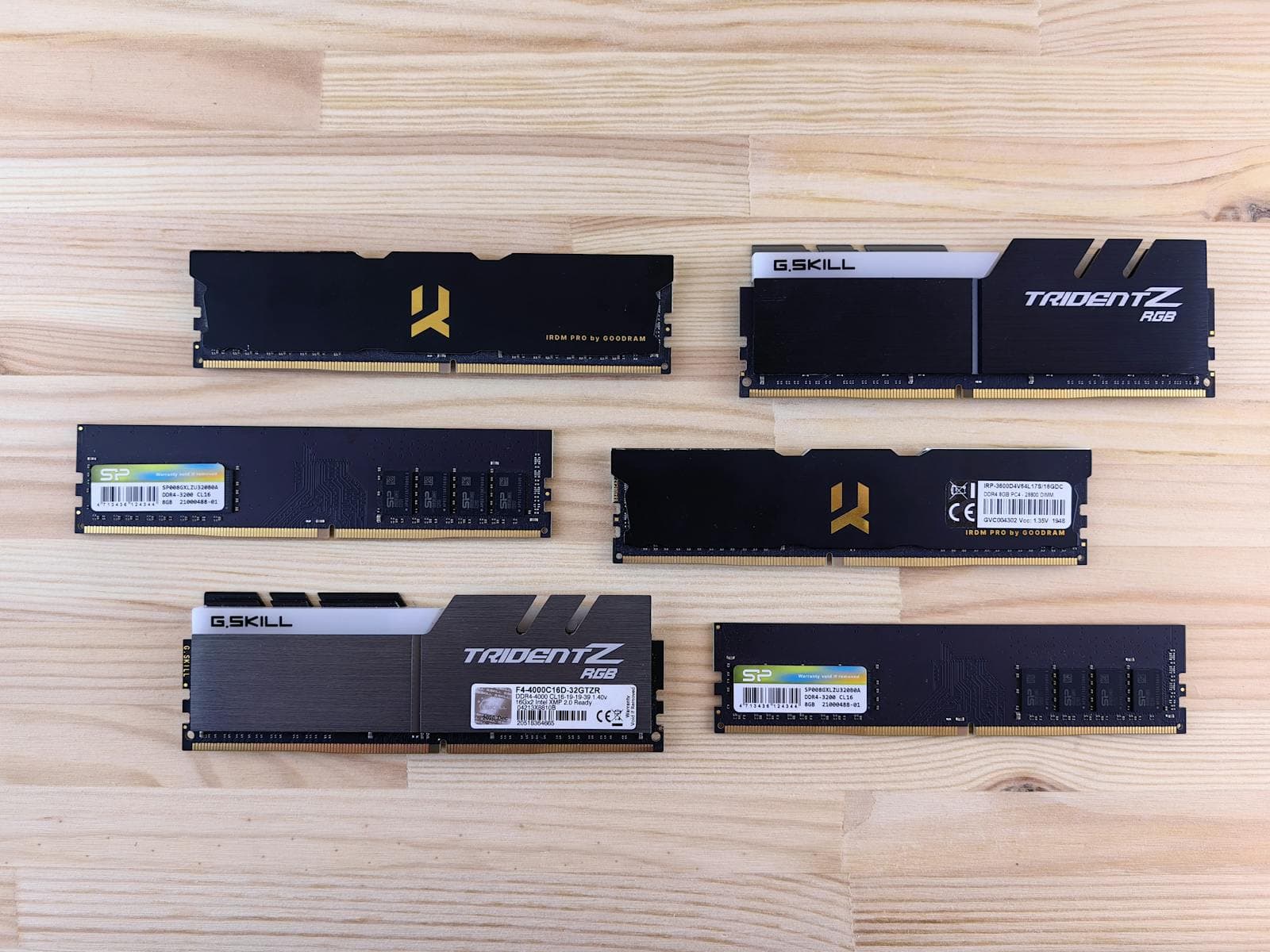
Your motherboard decides which type you use — you don't choose freely.
DDR4 and DDR5 use different physical slot designs and are not interchangeable. If you're building on AMD Ryzen 7000 (AM5 socket) or Intel 12th gen or newer, you're on DDR5. If you're building on AMD Ryzen 5000 or earlier (AM4 socket), you're on DDR4. Some budget Intel boards still ship with DDR4 slots — check your motherboard specs before buying RAM.
The PC build compatibility guide covers how to verify this before purchasing.
Gaming Performance: DDR4 vs DDR5
The gaming performance gap between DDR4 and DDR5 is roughly 3–7% in CPU-bound scenarios (where the CPU is the limiting factor, not the GPU). In GPU-bound scenarios — which describes most gaming at 1440p and 4K — the difference is negligible.
DDR5 is not a reason to choose one CPU platform over another. If you're building on AM4 for budget reasons, DDR4 at 3200–3600 MT/s is a perfectly capable gaming memory configuration. If you're building on AM5 or a current Intel platform, DDR5 at 6000 MT/s is the target.
The Speed Sweet Spots
RAM speed is rated in MT/s (megatransfers per second). You'll sometimes see it listed as MHz on retail sites: 3200 MT/s and 3200 MHz mean the same thing in marketing language.
DDR4: 3200–3600 MT/s is the gaming sweet spot. At 3200 MT/s, you're in the ideal range for AMD AM4 (Ryzen's Infinity Fabric runs optimally at 1600 MHz, which pairs with 3200 MT/s RAM). At 3600 MT/s, you gain a small uplift in bandwidth-sensitive titles. Beyond 3600 MT/s on DDR4, returns diminish sharply and stability becomes a concern.
DDR5: 6000 MT/s is the sweet spot for AMD Ryzen 7000 (AM5). Look for kits with an EXPO profile (AMD's auto-overclocking standard, equivalent to Intel's XMP) rated at 6000 MT/s — these load their optimal timings automatically in BIOS without manual tuning. For Intel 13th/14th gen and Intel Core Ultra, 6400 MT/s is the performance target.
Don't overpay for DDR5 kits rated 7200 MT/s or higher. The gaming performance difference over 6000–6400 MT/s is negligible in almost every title, and high-frequency DDR5 can introduce compatibility issues on some platforms.
For how RAM interacts with CPU selection, see how to choose a CPU for gaming.
Always Buy Two Sticks — Dual-Channel Explained
Dual-channel means running two RAM sticks instead of one, installed in the correct paired slots on your motherboard (usually slots 2 and 4, but check your motherboard manual). It doubles the memory bandwidth available to the CPU by allowing both sticks to be accessed simultaneously.
The performance impact is significant: up to 15–20% fps improvement in bandwidth-sensitive titles compared to a single stick of identical capacity. A 2×16GB (32GB) kit consistently outperforms a 1×32GB stick in gaming — same total RAM, meaningfully better performance.
The rule: always buy a matched pair. When you see a 32GB DDR5 kit listed as "2×16GB," that's what you want. A single 32GB stick (1×32GB) runs in single-channel mode and leaves half the available memory bandwidth unused.
The exception: if budget forces you to start with 16GB, a single 16GB stick is acceptable as a temporary configuration — just make sure to add a second identical stick when your budget allows. Mismatched sticks (different brands, speeds, or timings) can run in dual-channel but may not be stable at rated speeds.
A note for DDR5 builds: stick with a 2-stick configuration (2×16GB or 2×24GB). Four-stick DDR5 kits (4×8GB) introduce significantly higher compatibility and stability risk — DDR5's tighter electrical tolerances mean four populated slots frequently require downclocking to achieve stability. Two sticks is the right choice unless you have a specific reason to fill all four slots.
Your motherboard's compatibility requirements will specify which slots to use for dual-channel — always check before installing.
Does the PC Builder Handle RAM Selection Automatically?
Yes. When you use the PC Builder at MaxMyBuild, RAM is selected based on your chosen platform (DDR4 or DDR5 depending on the CPU), the correct speed profile for that platform, and the 32GB dual-channel configuration as the default for any build where budget allows. If your budget is tight and 16GB is the appropriate call, the tool makes that tradeoff explicitly rather than silently.
The PC build compatibility guide details all the compatibility checks the Builder runs — including confirming that RAM type, speed, and slot configuration match your motherboard and CPU.
For budget guidance on how much to allocate to RAM vs. other components, see how to set your gaming PC budget and how to build a gaming PC on a budget. RAM is rarely where budget constraints bite hardest — the GPU usually demands the bigger share, as covered in how to choose a GPU. Once you've set the RAM budget, the best RAM for gaming 2026 guide ranks current DDR5 kits at each price point.
For PSU sizing to support your full build's power draw including RAM, see the TDP and PSU sizing guide.
Frequently Asked Questions
How much RAM do you need for gaming?
16GB is the minimum for gaming in 2026 — it handles most current titles without issue. For any new build, 32GB is the better choice: Microsoft now recommends it as the Windows 11 gaming baseline, games like Hogwarts Legacy and Crimson Desert actively push past 16GB during gameplay, and the price difference between a 16GB and 32GB kit is typically just $20–40.
Is 16GB RAM enough for gaming in 2026?
Yes, 16GB handles the vast majority of current games. Discord, a browser with a few tabs, and a game running simultaneously — 16GB manages this comfortably for most titles. The ceiling is getting closer though: some newer open-world games already use 16GB+ during gameplay. If you're buying new, 32GB costs $20–40 more and eliminates any memory-pressure risk for the next 2–3 years.
Does 32GB RAM improve gaming FPS?
In average FPS: minimally — roughly 1–5% in most titles. The real gain is in 1% lows (the worst frame times you actually feel as stutters). In memory-hungry games that push toward the 16GB ceiling, 32GB prevents the OS from swapping data between RAM and storage mid-session, which eliminates the sudden frame drops that 16GB can produce. Average fps barely moves; the floor gets significantly higher.
DDR4 vs DDR5 — which is better for gaming?
Your motherboard decides, not you — DDR4 and DDR5 slots are physically incompatible, so you use whichever type your platform supports. AMD Ryzen 7000 (AM5) and Intel 12th gen+ require DDR5; AMD Ryzen 5000 (AM4) and older boards use DDR4. Gaming performance difference between the two is roughly 3–7% in CPU-bound scenarios and negligible when the GPU is the bottleneck. It's not a reason to pick one platform over another.
What RAM speed do you need for gaming?
For DDR4 builds: 3200–3600 MT/s is the sweet spot. Anything faster than 3600 MT/s on DDR4 has diminishing returns in gaming. For DDR5 builds: 6000 MT/s is the sweet spot for AMD Ryzen 7000 (match an EXPO profile kit); 6400 MT/s for Intel. Don't overpay for DDR5 kits rated 7200 MT/s or higher — the gaming performance difference over 6000–6400 MT/s is negligible in almost every title.
Does dual-channel RAM matter for gaming?
Yes, significantly. Running two RAM sticks instead of one doubles the memory bandwidth available to your CPU, which can improve gaming fps by up to 15–20% in bandwidth-sensitive titles. The rule: always buy 2×16GB (32GB total) rather than 1×32GB. Same total capacity, meaningfully better performance. The only exception is temporarily running one stick if you're planning to add a second later — just make sure you buy a matching kit.