How to Choose a GPU for Gaming — Budget & Resolution Guide
This guide contains affiliate links. If you buy through them, we may earn a commission at no extra cost to you.
To choose a GPU for gaming, match it to the resolution you'll be playing at: 1080p, 1440p, or 4K. Within each resolution tier, pick the GPU that fits your budget — VRAM capacity and raw rasterization performance matter more than brand name or clock speed.
If you want the selection handled automatically, the PC Builder at MaxMyBuild pairs every build with a GPU matched to its resolution target and budget — you'll never see an underpowered or overpriced combination.
Disclosure: Some links on this page are affiliate links — if you buy through them, MaxMyBuild earns a small commission at no extra cost to you. Prices listed were current at time of writing.
Quick GPU Selection by Resolution and Budget
Pick your target resolution, find your budget, and use the GPU in that row. These represent the best value at each tier as of 2026, based on live pricing data.
| Resolution | GPU | Price | VRAM |
|---|---|---|---|
| 1080p budget | Arc B570 / Arc B580 | $260–310 | 10–12GB |
| 1080p | RTX 5060 / RX 9060 XT 8GB | $349–360 | 8GB |
| 1080p longevity | RTX 5060 Ti 8GB / RX 9060 XT 16GB | $400–439 | 8–16GB |
| 1440p | RX 7800 XT / RX 9070 / RTX 5070 | $565–630 | 12–16GB |
| 1440p (high fps) | RX 9070 XT / RTX 5070 Ti | $740–975 | 16GB |
| 4K | RX 7900 XTX / RTX 5080 | $1,006–1,290 | 16–24GB |
| 4K (max) | RTX 4090 / RTX 5090 | $3,500–3,775 | 24–32GB |
If you're unsure what resolution to target, 1440p is the sweet spot for new builds in 2026 — monitor prices have dropped significantly and mid-range GPUs are designed around it.
For a live view of all GPUs ranked by performance per dollar, see the GPU price-to-performance chart.
Want to see this tier logic applied to a specific, demanding upcoming game rather than gaming in general? GTA 6 PC requirements: what hardware you actually need walks through the same 1080p/1440p/4K breakdown with picks sized for one of the heaviest open-world titles on the horizon.
What Specs Actually Matter for Gaming GPUs
GPU spec sheets list a lot of numbers. Most of them don't affect your buying decision. Three do.
VRAM is the most important spec for future-proofing. VRAM is the memory on the GPU that holds textures, frame buffers, and game assets. When a game exceeds your VRAM limit, performance doesn't just drop — it stutters badly or crashes entirely. 8GB is the minimum for 1080p gaming in 2026. For 1440p, 12GB is the safe target; 16GB gives you room to last three to four years. For 4K, 16–24GB is recommended. See the VRAM guide for the full breakdown.
Rasterization performance determines your actual frame rate. This is the GPU's ability to render standard game graphics — the number that decides whether you hit 60fps, 100fps, or 144fps. Clock speed in MHz doesn't reliably tell you this; two GPUs with identical clock speeds can have completely different performance levels. Compare GPUs using benchmark results for your specific target games, not spec sheet numbers.
TDP (power draw) determines your PSU (power supply) requirements. Budget GPUs draw 100–160W; mid-range cards 160–260W; high-end cards 300–575W. A GPU that exceeds your PSU's headroom causes instability or shutdowns. Check the TDP and PSU sizing guide before finalising your GPU choice.
What not to stress about: clock speed in MHz (a marketing number that doesn't translate directly to fps), memory bandwidth in isolation, and ray tracing or AI core counts — useful for specific workloads, but not the primary decision factor for most gaming builds.
GPU Naming Schemes Explained
GPU model names look random until you understand the pattern. Once you do, you can decode any card from any brand at a glance — and stop being misled by high numbers that don't mean high performance.
NVIDIA (GeForce RTX)
RTX simply means the card supports ray tracing. All current NVIDIA gaming cards carry it. The number that follows breaks down like this:
- First digit = generation. 5000-series is the current lineup; 4000-series is the previous generation still widely available. Higher is newer.
- Second digit is usually 0. NVIDIA has historically used this position to slot cards between generations (the 16-series did this — based on Turing, the same architecture as the RTX 20-series, but with RT and Tensor cores removed to lower the price).
- Third digit = tier. 90 is flagship, 80 is high-end, 70 is upper-mid, 60 is mid, 50 is entry. Higher is faster.
- Last digit is always 0 — reserved for future use.
- Ti means the card is notably faster than the base model. Super means a mid-generation refresh with improved specs at the same or lower price.
- VRAM variants: some cards ship with different VRAM amounts under the same model name. The RTX 5060 Ti comes in 8GB ($400) and 16GB ($592) — meaningfully different cards. Always confirm which variant you're buying.
Example: RTX 5070 Ti = 5000-series (current) + tier 7 (upper-mid) + Ti (enhanced over base 5070).
AMD (Radeon RX)
RX is AMD's prefix for all discrete gaming GPUs. The numbering scheme shifted with the 9000-series:
- First digit = generation. 9000-series (RDNA 4) is current; 7000-series (RDNA 3) is the previous generation, still available and strong value.
- In the 9000-series: the 2nd digit is always 0; the 3rd digit is the performance tier (7 = high-end, 6 = mid); the 4th digit is always 0.
- XT suffix means an enhanced version of the base model — equivalent to NVIDIA's Ti.
- No RDNA 4 flagship: AMD does not make a high-end 4K card for this generation. For the fastest single GPU available, only NVIDIA offers it. AMD's RDNA 4 ceiling is the RX 9070 XT.
Example: RX 9070 XT = 9000-series (RDNA 4) + tier 7 (high-end for this generation) + XT (enhanced).
Intel (Arc)
Intel entered the discrete GPU market in 2022. Their lineup is small and budget-focused, but the naming follows a consistent pattern:
- Arc is the brand name for all Intel discrete GPUs.
- Generation letter: A = Alchemist (1st generation, older — avoid for new builds); B = Battlemage (2nd generation, current).
- First digit = tier. B-series currently offers only tier 5.
- Second digit = sub-tier. B580 (sub-tier 8) is faster than B570 (sub-tier 7).
- Critical rule: you cannot compare GPU numbers across brands. An Arc B580 does not perform like an RTX 5080 — the naming systems are completely independent. Always compare using benchmark results, not model numbers.
Example: Arc B580 = Battlemage (current) + tier 5 + sub-tier 8 (faster than B570).
GPU Chip Brands and Board Partners
Three companies design the GPU chips: NVIDIA, AMD, and Intel. But the physical cards you buy are mostly manufactured by board partners — also called AIBs (Add-In Board partners): ASUS, MSI, Gigabyte, ASRock, Sapphire (AMD-exclusive), and PowerColor (AMD-exclusive). NVIDIA also produces its own Founders Edition reference cards.
Same chip means the same gaming performance — an ASUS RTX 5070 and an MSI RTX 5070 produce identical framerates in games. Board partners differ in: card length, cooling (2-fan vs 3-fan), noise levels, minor factory overclocks, and aesthetics. A 3-fan card runs cooler and quieter than a 2-fan card on the same chip; single-fan cards thermal-throttle under sustained gaming load and should be avoided at mid-range and above. For most buyers, pick the board partner variant that fits your case's GPU clearance spec and stays within your budget — the performance difference between AIBs on the same chip is negligible.
Resolution Is the Starting Point
Don't pick a GPU before deciding on your target resolution. A GPU that's excellent value at 1440p is overpriced at 1080p and underpowered at 4K. Resolution determines which performance tier you actually need.
1080p is still the most common gaming resolution. GPUs in the $249–$430 range handle 1080p at high settings and 100+ fps comfortably. Buying a $999 GPU for a 1080p monitor wastes the majority of its rendering capacity — your monitor can't display what it's producing.
1440p is the sweet spot for new builds in 2026. Most gaming monitors now target 1440p at 144Hz or higher, and mid-range GPUs are designed around this resolution. Budget $450–$750 for a GPU that handles 1440p at 100–165fps in most titles.
4K requires high-end hardware. A capable 4K GPU starts at $1,006 (RX 7900 XTX) to $1,290 (RTX 5080), and consistent 4K at 120fps+ pushes into $3,500+ territory. Frame generation (DLSS 4, FSR 4) can extend a card's effective performance at 4K — but it amplifies existing frames, it doesn't substitute for raw GPU power. You still need a strong base card to benefit from it.
Upscaling, Frame Generation, and Ray Tracing

Three GPU features that sound technical but directly affect which brand you should buy.
Upscaling renders the game at a lower resolution and uses algorithms or AI to reconstruct it at your monitor's native resolution. Done well, it looks nearly identical to native at a fraction of the GPU cost. All three brands have their version:
- DLSS (NVIDIA): locked to RTX cards. DLSS 4 on RTX 50-series uses a transformer AI model and produces the best upscaling image quality available. Widely supported in modern titles.
- FSR (AMD): open-source and works on any GPU — NVIDIA, Intel, or AMD. FSR 4 adds machine-learning upscaling specifically optimized for the AI accelerators in RDNA 4 hardware (RX 9000-series); older FSR versions work on all hardware but produce slightly noisier images than DLSS.
- XeSS (Intel): Intel's upscaling technology. Uses Intel's XMX hardware for best quality on Arc cards; on NVIDIA and AMD GPUs it falls back to a DirectX 12 compute path, which is still reasonable. Game support is growing but smaller than DLSS and FSR libraries.
Frame Generation inserts AI-synthesised frames between real rendered frames to increase perceived smoothness. NVIDIA's DLSS 3+ Frame Gen (40-series and up) and Multi Frame Generation (50-series, up to 3 generated frames per real frame) are the most capable implementations. AMD's FSR 3 Frame Gen works on a broader range of hardware. Frame generation makes games look smoother, but it does not reduce input lag — a strong base GPU is a prerequisite, not an optional add-on.
Ray Tracing simulates real-world light behaviour — reflections, shadows, global illumination — instead of using pre-baked approximations. It looks excellent but is GPU-intensive. NVIDIA leads significantly in ray tracing performance; AMD has improved but still trails; Intel Arc supports ray tracing but lags behind both. Some modern titles require RT-capable hardware to run at all.
NVIDIA, AMD, or Intel — How to Actually Decide
Three chip makers, three distinct sets of trade-offs. Here's what each actually delivers for gaming in 2026.
NVIDIA
NVIDIA holds the performance lead at the top end and offers the most complete ecosystem of GPU-accelerated features.
Ray tracing performance is NVIDIA's clearest advantage. The gap over AMD and Intel is significant at high RT settings — if you play titles heavy on ray tracing or path tracing, NVIDIA delivers noticeably better results.
DLSS is the best upscaling technology available. DLSS 4 on RTX 50-series uses a transformer model that produces crisper, more temporally stable images than AMD's FSR or Intel's XeSS. Multi Frame Generation (50-series exclusive) can multiply the displayed frame rate dramatically for silky smooth gameplay — though a strong base GPU is always required first.
NVENC (NVIDIA's dedicated hardware video encoder, built into every RTX card) is the industry standard for game streaming. It produces higher quality video than software encoding at a fraction of the CPU cost — a meaningful advantage if you stream on Twitch or YouTube.
CUDA cores (NVIDIA's parallel computing architecture, used by GPU-accelerated software) give NVIDIA a dominant ecosystem for GPU-accelerated workloads: 3D rendering in Blender, video processing in DaVinci Resolve (CUDA path), AI inference. If you do any of these alongside gaming, NVIDIA's software ecosystem is far better supported than AMD's or Intel's.
At the $550 tier, AMD is the better rasterization value. The RX 9070 benchmarks roughly 7% ahead of the RTX 5070 at the same $550 MSRP, and carries 16GB VRAM vs 12GB. NVIDIA wins on ecosystem and premium features; AMD wins on raw gaming fps per dollar at mid-range.
AMD
AMD's RDNA 4 lineup (RX 9000-series) is the strongest rasterization-per-dollar story in the current mid-range market.
Performance per dollar at the $550 tier: the RX 9070 benchmarks ahead of the RTX 5070 at the same price. The RX 9070 XT at $600 delivers performance close to the RTX 5070 Ti at $750 — roughly the same 1440p fps at $150 less. At the $450–$750 range, AMD wins on pure gaming performance per dollar.
VRAM per dollar: AMD consistently delivers more VRAM at the same price. The RX 9070 has 16GB; the RTX 5070 has 12GB — both at $550. At $999, the RX 7900 XTX has 24GB vs the RTX 5080's 16GB. If VRAM capacity is the priority — texture mods, multi-monitor setups, or long-term future-proofing — AMD wins at almost every price tier.
FSR is open-source and hardware-agnostic — it runs on NVIDIA and Intel GPUs too. FSR 4 on RDNA 4 narrows the quality gap with DLSS significantly. Older FSR versions work on everything but trail DLSS on image sharpness.
No flagship option. AMD does not make an RX 9090 or equivalent for this generation. For absolute top-tier performance — 4K at maximum settings with no compromises — only NVIDIA offers it (RTX 4090, RTX 5090). AMD's RDNA 4 ceiling is the RX 9070 XT.
AMD AIBs include all major board partners plus Sapphire and PowerColor, which produce AMD-exclusive cards often regarded as among the best-built options for AMD chips.
Intel Arc
Intel entered the discrete GPU market in 2022. Their lineup is narrowly focused on the budget tier — but within that tier, the value proposition is real, particularly for VRAM capacity.
Current generation: Arc Battlemage (B-series). The B580 and B570 are the cards to consider for new builds. The older Alchemist generation (A770, A750, A580) is aging architecture and not recommended for new purchases.
Arc B580 ($310, 12GB VRAM, 190W) is the standout card for budget builders. At $310, it offers 12GB VRAM — no other GPU at this price point comes close. The RTX 5060 costs $349 with only 8GB; the RX 9060 XT 8GB costs $360 for 8GB. For 1080p gaming on a tight budget, the B580's 12GB VRAM gives it measurably more longevity than any competing 8GB card costing more. Performance sits around 42% of an RTX 4090 at 1080p — it's a budget card, but a capable one for 1080p at high settings in modern titles.
Arc B570 ($260, 10GB VRAM, 150W) is the entry point of the Battlemage lineup. Slightly less performance than the B580 but still 10GB VRAM at $260 — still ahead of competing 8GB cards on VRAM capacity. Suited for 1080p at medium-to-high settings on a strict budget.
XeSS upscaling works best on Arc hardware using Intel's XMX hardware accelerators, producing image quality competitive with DLSS on Intel cards. On NVIDIA and AMD GPUs, XeSS falls back to a DirectX 12 compute path — still functional, but quality trails DLSS. Game support is growing steadily.
What to know before buying Intel Arc:
Driver maturity. Intel's GPU drivers are younger and less battle-tested than NVIDIA's or AMD's. Battlemage drivers are considerably more stable than early Alchemist, but occasional issues remain — primarily in older DirectX 9 and DirectX 11 titles. If your game library includes a lot of older games, Intel Arc is a risk.
No options above the budget tier. Intel does not make a GPU that competes at 1440p or 4K. The B580 is strong for 1080p; it's not a 1440p card at 144fps. If your target is 1440p 144fps or 4K, NVIDIA and AMD are your only options.
PCIe lane count. Arc B-series cards use a PCIe x8 connection. On a PCIe 4.0 board, this is fine — bandwidth is sufficient for 1080p and even moderate 1440p workloads. On a PCIe 3.0 board, x8 lanes can bottleneck the card, particularly at higher resolutions. Always pair Arc with a PCIe 4.0 or newer motherboard.
Resizable BAR (ReBAR) is required. Intel Arc GPUs need ReBAR — called Smart Access Memory on AMD platforms — enabled in BIOS to reach their rated performance. Without it, Arc performance drops significantly below benchmarks. Most motherboards manufactured from 2020 onward support ReBAR, but verify before purchasing. Enable it in BIOS under "Above 4G Decoding" or "Resizable BAR."
Who should buy Intel Arc: budget builders targeting 1080p who want maximum VRAM at minimum cost, with a modern DX12-heavy game library, a PCIe 4.0 board, and ReBAR enabled. The B580 is the sweet spot.
Who should avoid Intel Arc: anyone targeting 1440p or 4K; anyone with a game library heavy on older DX9/DX11 titles; anyone on a PCIe 3.0 board.
For specific budget-tier picks with current pricing — new and used — see the best GPU under $200 guide and the best GPU under $300 guide.
What to Check Before You Buy
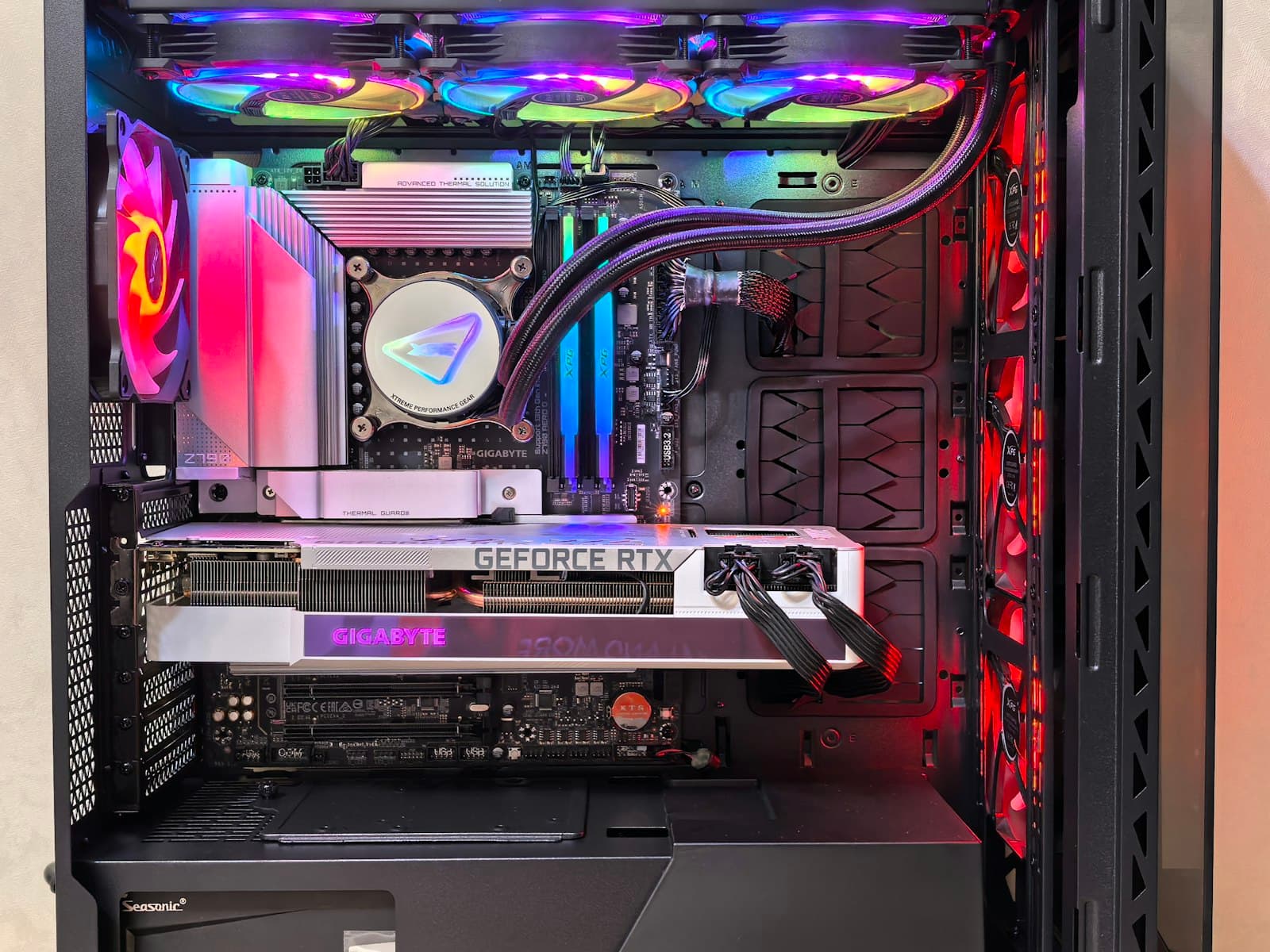
Case clearance. Modern GPUs range from 200mm to 340mm in length and occupy two to four PCIe (Peripheral Component Interconnect Express — the motherboard slot the GPU plugs into) slot widths. Confirm your case supports the card's physical dimensions before ordering. The GPU size and case clearance guide covers measurement and fit in detail.
PSU wattage. A GPU drawing 300W needs a PSU with enough headroom for the whole system — CPU, storage, fans, and the card itself. High-end cards like the RTX 5090 draw 575W. An under-spec'd PSU causes crashes or boot failures. Use the TDP sizing guide to verify your PSU wattage before buying.
PCIe lane count. Most GPUs use a PCIe x16 connection. Some mid-range cards — including the RTX 5060 series and all Arc B-series cards — use x8 lanes. On a PCIe 4.0 or newer board, x8 delivers sufficient bandwidth and performance is unaffected. On an older PCIe 3.0 board, x8 lanes can become a bottleneck — this is mainly a concern if you're installing a modern card into an older system (Intel 10th Gen or earlier, Ryzen 3000-series or earlier). If your board is PCIe 3.0, confirm your chosen GPU uses x16 before ordering. For the more common cause of a bottleneck, a weak CPU paired with a strong GPU, see the what is a PC bottleneck guide.
Monitor resolution. There's no benefit to buying a 4K GPU if your monitor tops out at 1080p. Match the GPU tier to what your display can actually output. If you're buying a monitor alongside a GPU, decide on resolution first.
Resizable BAR. Intel Arc GPUs require ReBAR enabled in BIOS for full performance. AMD Radeon benefits from it (AMD calls it Smart Access Memory). If you're buying an Arc card, verify your board supports ReBAR before purchasing — this is a hard requirement for Arc, not just an optional performance boost.
The VRAM Floor You Cannot Ignore
Do not buy a GPU with less than 8GB VRAM in 2026. Cards with 4GB or 6GB exist at attractive prices but are already failing to load high-resolution textures in modern titles at medium settings. The issue isn't just lower fps — the game cannot load its assets into memory, forcing lower texture quality or causing visible stuttering.
8GB is the minimum for a viable build today. For anything targeting 1440p or planning to last past 2027, 12GB is the safer choice. The Arc B580 makes this concrete: 12GB VRAM at $310, less than competing 8GB cards at $349–360. VRAM capacity cannot be upgraded with a driver update — unlike fps, it's a permanent hardware decision.
Does MaxMyBuild Handle This Automatically?
Yes. The PC Builder at MaxMyBuild selects a GPU matched to the resolution, budget, and game targets you enter. The same resolution-tier logic above is applied automatically — you don't have to cross-reference the checklist manually.
For the complete list of compatibility checks beyond GPU selection — case clearance, PSU sizing, RAM matching — see the PC build compatibility complete guide.
Frequently Asked Questions
How much should I spend on a GPU for gaming?
Plan for the GPU to take 40–50% of your total build budget — it's the component with the largest impact on gaming fps. For resolution targeting: 1080p needs $310–$592 (Arc B580 to RTX 5060 Ti 16GB); 1440p needs $565–$975 (RX 9070 / RTX 5070 up to RTX 5070 Ti); 4K starts at $1,006. Spending more than your resolution demands gives you no fps gain at your monitor's native output.
Is 8GB VRAM enough for gaming in 2026?
For 1080p, yes — but 8GB is showing limits in some recent titles already. For 1440p, 8GB works today but 12GB is the safer choice for a build meant to last 3–4 years. For 4K, 16GB or more is recommended. The Arc B580 at $310 makes 12GB accessible at the budget tier — less expensive than competing 8GB cards at $349–360 — so VRAM is now a real tiebreaker even at entry-level pricing.
Should I buy NVIDIA, AMD, or Intel Arc?
NVIDIA for ray tracing leadership, DLSS upscaling quality, NVENC streaming, and GPU rendering workloads (Blender, DaVinci). AMD for rasterization performance per dollar at the $565–$975 range — the RX 9070 beats the RTX 5070 at the same price — and more VRAM per dollar across most tiers. Intel Arc for budget 1080p where VRAM per dollar matters most (B580: 12GB at $310), but only for modern DX12 titles on a PCIe 4.0 board with ReBAR enabled. Compare specific models at your budget rather than choosing brand first.
What GPU do I need for 1440p gaming?
For 1440p at 60fps, an RX 7800 XT ($565) or RX 9070 ($565) is the entry point. For 1440p at 144fps — the most common target — the RX 9070 ($565) or RTX 5070 ($630) is the right tier; the RX 9070 benchmarks roughly 7% higher at 1440p per dollar. For high-refresh 1440p with headroom, the RTX 5070 Ti ($975) handles demanding titles at ultra settings without compromise.
Can I use any GPU with any motherboard?
Any modern GPU fits in any PCIe x16 slot, which is on every gaming motherboard made in the last decade. Two exceptions: some mid-range cards (RTX 5060 series, Arc B-series) use x8 PCIe lanes — fine on PCIe 4.0+, but a potential bottleneck on older PCIe 3.0 boards. Intel Arc also requires Resizable BAR (ReBAR) enabled in BIOS for full performance — most boards from 2020 onward support it, but confirm before buying.
To compare every current GPU side by side — sorted by benchmark score, value, VRAM, and TDP with live pricing — see the GPU comparison page.