Budget Gaming PC Build 2026: Best Parts List for $650–750
This guide contains affiliate links. If you buy through them, we may earn a commission at no extra cost to you.
A capable 1080p gaming PC costs $650–750 to build with new parts in 2026 — or $500–650 if you source a used GPU from a reputable seller. Either way, the core rule applies: GPU first, PSU never cheap, everything else is negotiable. The rest of this guide is the prioritised breakdown you need to make those calls on a tight budget.
If you want the part selection handled for you, the PC Builder at MaxMyBuild generates a fully compatible build matched to your budget, target games, and resolution — so you don't waste money on mismatched parts.
Disclosure: Some links on this page are affiliate links — if you buy through them, MaxMyBuild earns a small commission at no extra cost to you. Prices and availability can change at any time.
Budget Priority at a Glance
Every component below is rated by how much it affects gaming performance and where you can safely cut costs. "Priority" tells you whether to spend up or down relative to your budget.
| Component | Priority | Suggested Budget Share | Where to Save |
|---|---|---|---|
| GPU | ⭐⭐⭐⭐⭐ Critical | 35–40% | RX 7600 ($220) is the value pick; RX 9060 XT ($360) / RTX 5060 Ti ($400) for 1080p/144 fps |
| CPU | ⭐⭐⭐ Medium | 15–20% | Mid-range is enough — expensive CPU won't help a budget GPU |
| Motherboard | ⭐⭐ Low | 10–12% | $90–120 on a modern B650/B760 platform |
| RAM | ⭐⭐ Low | 8–10% | 16GB DDR5 2×8GB; don't go lower |
| Storage | ⭐⭐ Low | 8–10% | 1TB NVMe; skip SATA SSD entirely |
| PSU | ⭐⭐⭐⭐ High | 10–12% | Buy from a reputable brand — the 80+ rating measures efficiency only, not build quality |
| Case | ⭐ Low | 5–8% | $40–60 mid-tower with decent airflow |
| CPU Cooler | ⭐ Low | 3–5% | Stock cooler works for non-OC builds; a $25 aftermarket is fine |
Realistic new-parts build ($700): GPU $200–220, CPU $135–145, motherboard $100–110, RAM $80–90, storage $85–100, PSU $70–80, case $50–60. These figures shift with sales — use the PC Builder for a live-priced build at your exact budget. To hit $500–600, you need a used GPU or a used CPU; new-parts builds at this tier require careful sale hunting.
Start With Your Goal — Resolution and Frame Rate, Not a Dollar Amount
Most budget guides start with a price and work backward. That gets the priorities wrong. Start with the resolution and frame rate you want to hit — the GPU budget follows directly from that target.
Three common budget gaming goals:
- 1080p / 60 fps — playable at high settings in current AAA titles. Achievable for $650–750 with new parts, or $500–600 with a used GPU. The most common target for first builds.
- 1080p / 144 fps — smooth in competitive games (Valorant, Fortnite, CS2) that easily exceed 100 fps. Achievable for $750–900. Requires a 144Hz monitor to see the difference.
- 1440p / 60 fps — higher visual fidelity, moderate frame target. Achievable for $900–1,100. Not a typical budget build — you're into mid-range territory at this tier.
If you're building for 1080p/60 fps, a $200–220 GPU is your target (RX 7600 range). If you want 1080p/144 fps, you need $350–400 to reliably clear that frame rate in demanding titles — the RX 9060 XT ($360) and RTX 5060 Ti ($400) are the correct cards at this tier. Every dollar you spend on other components before hitting that GPU target is a dollar that doesn't move the needle on gaming performance.
The GPU Gets the Biggest Slice — Here's Where to Spend It
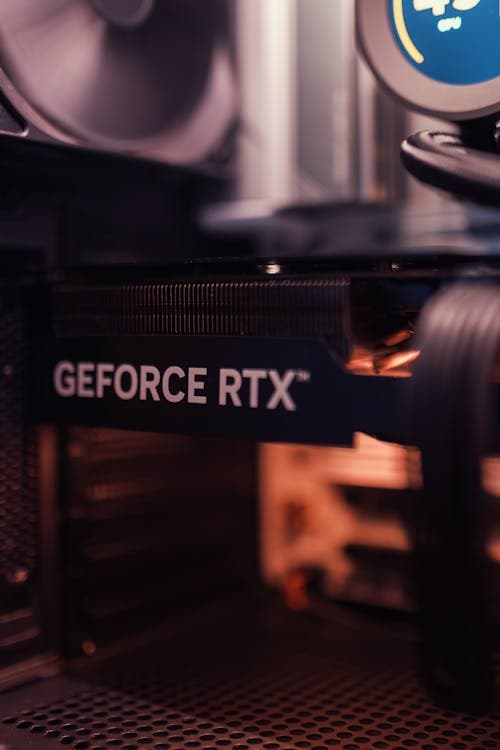
The GPU (graphics processing unit) renders every frame you see on screen. At 1080p, the GPU determines whether you get 60 fps or 144 fps, whether textures are crisp or blurry, and whether demanding titles run smoothly or stutter. No other component comes close to its impact on gaming performance.
For a budget build in 2026, these are the current sweet-spot cards at each tier:
$220 — best 1080p value:
- AMD RX 7600 ($220, 8GB VRAM) — the highest performance-per-dollar at 1080p. Strong rasterization, low 165W power draw, excellent driver maturity.
$310 — more VRAM, similar raw performance:
- Intel Arc B580 ($310, 12GB VRAM) — the only budget card with 12GB VRAM. Raw 1080p performance is close to the RX 7600 (slightly ahead), but 12GB gives meaningful longevity for VRAM-hungry titles. Requires PCIe 4.0 and Resizable BAR (both standard on all current motherboards).
$350–400 — 1080p / 144 fps:
- AMD RX 9060 XT 8GB ($360, 8GB VRAM) — AMD's best value card in this tier; strong 1080p benchmark and competitive 1440p performance.
- NVIDIA RTX 5060 Ti 8GB ($400, 8GB VRAM) — Nvidia's correct budget pick for 2026. Significantly faster than the RTX 4060 at a lower price; adds DLSS 4 frame generation in supported titles.
What to skip — and why:
- RTX 4060 ($429) — do not buy. The RTX 5060 Ti 8GB is $29 cheaper and roughly 40% faster. The RTX 4060 is among the worst performance-per-dollar cards in the entire budget tier right now.
- RTX 4060 Ti ($415) — same issue; the RTX 5060 Ti outperforms it for less.
- Last-generation cards (RTX 3060, RX 6700 XT) at near-MSRP prices — only worth it at a steep discount below their current market price.
For a full benchmark comparison across all GPUs by price, see the GPU performance-per-dollar chart and the GPU buying guide. If electricity cost or a small-form-factor case is part of your build constraints, the GPU performance-per-watt chart ranks every card by benchmark score divided by TDP. If your budget targets the $200 tier specifically, see the best GPU under $200 guide.
On VRAM: 8GB is the minimum for 1080p in 2026. For the full breakdown of how much VRAM each resolution actually needs, see the VRAM guide.
CPU: Spend Less Than You Think at 1080p
A budget GPU caps your gaming performance long before an expensive CPU would make a difference. At 1080p, a higher frame rate target means the CPU sends frames to the GPU more frequently — so the CPU does work harder at 1080p than at 4K. But any current mid-range CPU handles a budget GPU without bottlenecking. Spending $250+ on a CPU to pair with an RX 7600 gains you nothing in games.
The right CPU choices for a budget 1080p build in 2026:
Intel LGA1700 platform — best value:
- Core i3-14100F ($99) — 4 cores, 8 threads, 54.8 benchmark score. Highest performance-per-dollar in the database at this price. Fully sufficient for any GPU in the $200–400 range at 1080p. Pairs with a B760 motherboard.
AMD AM5 platform — better upgrade path:
- Ryzen 5 7500F ($148) — 6 cores, 12 threads, 56.0 benchmark score. Better value than the Ryzen 5 7600 for gaming; AM5 socket gives a long upgrade roadmap. Pairs with a B650 motherboard.
- Ryzen 5 9600X ($180) — 6 cores, 12 threads, 69.5 benchmark score. Best gaming performance under $200; the right pick if you want headroom for a GPU upgrade later.
Both platforms deliver near-identical gaming performance paired with a budget GPU. The platform choice matters more for future upgrades than current gaming — AM5 has a longer stated upgrade roadmap. For a detailed comparison, see the CPU buying guide.
Don't buy: Ryzen 5 7600 ($207) — the Ryzen 5 7500F at $148 matches it in gaming for $59 less. Core i5-13400F ($245) — similarly outperformed by cheaper options at 1080p gaming. Ryzen 7 7700X or Core i7 — you'll spend $150+ more and see no gaming improvement paired with a budget GPU.
Motherboard and RAM: Don't Go Completely Bare-Bones
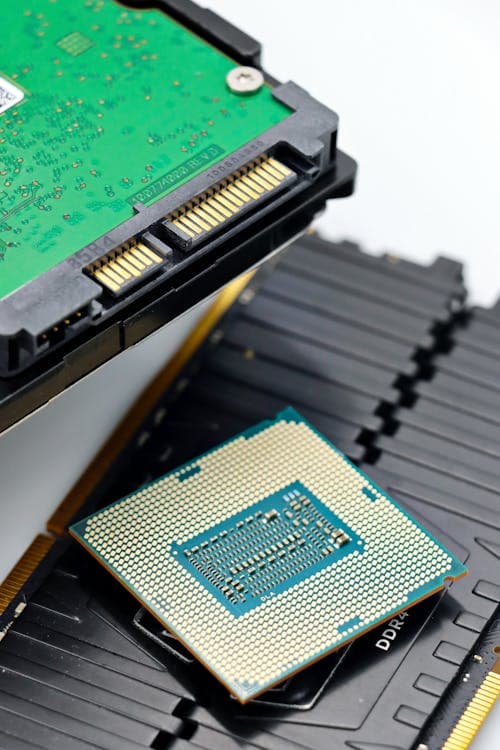
Motherboard: A $90–120 B650 (for Ryzen) or B760 (for Intel) board is fully sufficient for a budget gaming build. B650 starts around $90 and B760 around $110 at the entry level. You don't need VRM overclocking capability, Wi-Fi 7, or USB4 at this budget. What you do need: PCIe 4.0 (standard on all current boards), at least two M.2 slots, and a reputable manufacturer (ASUS, MSI, Gigabyte, ASRock).
What to avoid: B450 and X370 (AMD) or Z390 and older (Intel) platforms — they don't support DDR5 and have no upgrade path to current-generation CPUs. If buying used parts, confirm the platform generation before committing.
RAM: 16GB DDR5 is the minimum for new builds in 2026. Buy a 2×8GB kit, not a single 16GB stick — running two sticks in dual-channel mode gives a measurable performance improvement over a single stick in games. Entry-level 2×8GB DDR5 kits start around $80; budget $80–100 for a reputable brand (Corsair, G.Skill, Kingston, Crucial).
Speed for DDR5: DDR5-6000 is the sweet spot for AMD AM5 — the memory controller is optimised for that frequency. For Intel, DDR5-5600 is the inflection point. On a budget, DDR5-5200 or 5600 is fine; the gains from going higher are small.
Storage: NVMe Is Cheap Enough to Be the Only Choice
A 1TB PCIe 4.0 NVMe SSD costs $85–110 in 2026. The real performance jump was from spinning hard drives to any SSD — not from SATA to NVMe. In daily use and most game loads, a SATA SSD and a NVMe SSD feel nearly identical. The reason to buy NVMe anyway: the price gap has mostly closed, and there's no reason to buy older technology at the same cost.
What to buy: Any 1TB PCIe 4.0 NVMe from a reputable brand — WD Blue SN5000 (starts around $85), Corsair MP600 Pro NH (around $100), Crucial P3 Plus or P310 (around $106–107). All land in the $85–110 range. For head-to-head comparisons and current pricing across budget and mid-range NVMe options, see the best SSD for gaming in 2026 guide.
What to avoid:
- SATA SSDs — marginally cheaper than NVMe at current prices, no meaningful benefit for gaming
- HDDs as the primary drive — significantly slower load times, no cost advantage worth the trade-off at budget 1TB prices
- PCIe 3.0 NVMe drives — only slightly cheaper and the speed difference is real for large file operations
How much storage: 1TB handles most builds. Modern AAA games run 80–120GB each, so you'll fit 6–8 games plus your OS. If you play a large library, consider 2TB NVMe — the price-per-GB at 2TB is nearly identical to 1TB for most models.
PSU: The Part That Protects Everything Else
The PSU (power supply unit) converts wall power into the DC voltages every component in your build depends on. A PSU failure is uniquely dangerous: an uncontrolled failure doesn't just take out the PSU — it can send incorrect voltages through the GPU, motherboard, storage, and CPU. The cost of a failed $40 PSU can easily exceed the cost of the build it's in.
For a budget build pairing an RX 7600 or RTX 5060-class GPU with a Ryzen 5 or Core i5:
- 650W is the right wattage — covers current TDP draw with enough headroom for brief peak loads. The 80+ efficiency rating (Bronze, Gold, etc.) measures how efficiently the PSU converts AC to DC power. It says nothing about build quality or whether the unit will hold stable voltages under stress. A no-name PSU can carry a Bronze certification and still fail destructively — brand reputation is what matters.
- Reliable brands, $70–90: Corsair CX650 ($70–80, widely available), be quiet! System Power 10 (check current pricing). Seasonic, Fractal Design, and Super Flower also make reliable 650W units at this tier.
What to avoid: any unbranded or no-name PSU, regardless of the listed wattage. A $25 PSU that claims 650W often can't sustain that output without voltage instability. The $20–30 savings over a branded unit is not worth a build-ending failure.
For the technical relationship between TDP ratings and PSU sizing, see the TDP and PSU sizing guide. For recommended models at each budget tier, see the best PSU for gaming guide.
Case and Fans: Where You Can Actually Cut Costs
Case is the one component where a $45 buy and a $150 buy offer the same functional result. What you actually need from a budget case:
- At least two front intake fan slots (120mm or 140mm)
- Full-size ATX motherboard support (covers mATX too)
- Sufficient GPU clearance — most mid-towers support 300mm+ cards
- A side panel that doesn't require a tool to remove (nice to have, not essential)
Cases like the Fractal Focus G, Corsair 4000D (base), and NZXT H5 Flow sit in the $50–75 range and offer better airflow than many $120 alternatives. Skip RGB on case fans at this budget — the premium is real and the gaming performance benefit is zero.
Included fans: most cases include 1–2 fans. That's sufficient for a budget 1080p build — the GPU exhausts most heat directly out the back, and a single front intake handles the rest. You don't need six fans. If you do want to add a fan or two, the best case fans guide covers budget picks starting at $4.63 per fan.
For a ranked breakdown of budget cases with the best airflow paths at the $50–80 price point, see the best airflow PC case guide.
Under $400: You Need Used Parts
A $400 budget with all-new parts is not a realistic target in 2026. GPU alone costs $220+ for the lowest-tier new option; add CPU ($99+), motherboard ($90+), RAM ($80+), storage ($85+), PSU ($70+), and case ($50+) and you're already at $694 before buying anything. To actually build at $400, used parts are not optional — they're the entire strategy.
How to approach a $400 build:
- Used GPU — a used RX 6600 or RX 6700 from a reputable eBay seller with a return window typically runs $120–170. This is where the majority of your savings come from. Run a benchmark before the return window closes.
- Used CPU — a Ryzen 5 5600 ($80–100 used) on an AM4 board ($60–80 used) saves $100–120 over a new AM5 setup. DDR4 RAM is cheaper than DDR5 at current prices.
- PSU: always buy new — never buy a used PSU. A used CPU, GPU, or SSD failing is a recoverable loss; a used PSU failing can destroy the rest of the build. A new Corsair CX550 runs $60–70. For storage, a used SATA SSD ($20–40) is a safe buy — SSDs have no moving parts and fail predictably; just verify the drive health with CrystalDiskInfo before the return window closes.
See the full guide on what to check before buying used: new vs used PC parts.
What Never to Cut — Regardless of Budget
These decisions cost money when you get them wrong:
PSU brand and quality — a no-name PSU that fails can take out a $200 GPU, a $150 CPU, and a $120 motherboard in a single event. Budget $70–90 for a known brand (Corsair, Seasonic, be quiet!, Fractal Design). The 80+ efficiency certification tells you nothing about build quality — stick to the brand list.
RAM below 16GB — 8GB is not sufficient for gaming in 2026. Modern games allocate 12–14GB of system RAM alongside the GPU's VRAM budget. 8GB results in background applications being force-closed, stuttering, and crashes in memory-heavy titles. 16GB dual-channel is the floor.
HDD as the sole OS drive — a hard disk drive as the primary drive produces multi-minute boot times, long game load screens, and open-world traversal stutters (the game can't stream assets fast enough from a spinning disk). Any SSD eliminates this — a used SATA SSD at $20–40 is sufficient if budget is the constraint.
Going below 8GB VRAM — 4GB and 6GB cards exist at $100–140 and sound tempting on a tight budget. They are already failing to load high-resolution textures in some current titles — not slower fps, broken visuals. The floor is 8GB; the better choice for longevity is 12GB (Arc B580, $310).
Does MaxMyBuild Handle This Automatically?
Yes. The PC Builder at MaxMyBuild takes your budget, target games, and resolution and generates a complete, compatible build — applying exactly this priority logic automatically. The GPU gets the appropriate share of the budget. The CPU is matched to the GPU tier. The PSU is sized for the build's actual TDP. If the budget is too tight for a safe build at your target resolution, it tells you rather than generating an underspecced list.
For the full list of compatibility checks the PC Builder runs before generating any build, see the PC build compatibility complete guide.
Frequently Asked Questions
How much does it cost to build a budget gaming PC?
A capable 1080p/60 fps gaming PC costs roughly $650–750 with all-new parts in 2026 — GPU, CPU, motherboard, RAM, storage, PSU, and case. If you source a used GPU from a reputable seller, $550–650 is achievable. For 1080p/144 fps or 1440p/60 fps, budget $750–950 with new parts.
What should I prioritise when building a budget gaming PC?
GPU first. At any budget below $800, the GPU determines your resolution and frame rate ceiling — allocate 35–40% of your total budget to it. CPU second: a Core i3-14100F ($99) or Ryzen 5 7500F ($148) is sufficient for any 1080p GPU you pair it with. Never skimp on the PSU — a failed power supply unit can damage every other component in the build.
What is the best GPU for a budget gaming PC?
For 1080p in 2026: the AMD RX 7600 ($220, 8GB) is the best-value card at 1080p/60–80 fps. For 1080p/144 fps, the AMD RX 9060 XT 8GB ($360) and NVIDIA RTX 5060 Ti 8GB ($400) are the right tier — both significantly outperform the RTX 4060 ($429), which is one of the worst-value cards in its price bracket right now. If VRAM is a priority, the Intel Arc B580 ($310, 12GB) is the only budget card with more than 8GB.
Can I build a gaming PC for $400?
Not with new parts — GPU alone costs $220+ for the lowest-tier new option, and adding CPU, motherboard, RAM, storage, PSU, and case pushes you past $650. At $400 you need a used GPU (RX 6600 or similar at $120–170) and a used CPU on a budget AM4 board. You can hit solid 1080p/60 fps in most games at this budget. Adding $150–200 to reach $550–600 opens up better used GPUs or a hybrid new/used build.
Should I buy used parts for a budget build?
For GPU specifically — yes, if you buy from a reputable eBay seller with a return window and run a benchmark before the return period closes. Used GPUs can save 25–40% vs retail. For PSU, no — always buy new. For CPU, case, cooler, and RAM, used is generally safe. See the full breakdown in the new vs used PC parts guide.
What PSU wattage do I need for a budget gaming PC?
650W is the right wattage for any budget build pairing an RX 7600 or RTX 5060-class GPU with a mid-range CPU. That covers current TDP (the rated power draw under sustained load) with headroom for brief peak spikes. The 80+ efficiency rating measures power conversion efficiency — it says nothing about build quality or reliability. Stick to reputable brands: Corsair CX650 ($70–80) is the most accessible option. Budget $70–90 total for a reliable 650W unit.