Best Case Fans in 2026: 120mm and 140mm Picks Ranked
This guide contains affiliate links. If you buy through them, we may earn a commission at no extra cost to you.
The best case fans for a gaming PC in 2026 are Thermalright's budget lineup and the Phanteks M25 Gen2 series. Both deliver competitive airflow numbers with ARGB lighting for under $8 per fan, which is a price point that would have bought a mediocre non-PWM fan two years ago.
This guide covers the best picks across every category: budget 120mm and 140mm, quiet builds, high-static-pressure for radiators, and RGB. Two specs show up throughout: CFM (cubic feet per minute — how much air a fan moves per minute; higher is better for case positions) and PWM (pulse-width modulation — a method that lets the motherboard vary fan speed based on temperature, so the system stays quiet at idle and ramps up under load). All prices and airflow specs come from the MaxMyBuild component database, which tracks 309 in-stock case fans with real-time US retail pricing as of June 2026. Budget picks are ranked by airflow per dollar; quiet picks by dB-normalized airflow; performance picks by absolute CFM and static pressure.
Some links on this page are affiliate links. If you buy through them, MaxMyBuild earns a small commission at no extra cost to you. Prices are approximate US retail prices from June 2026 and change frequently; check current listings before buying.
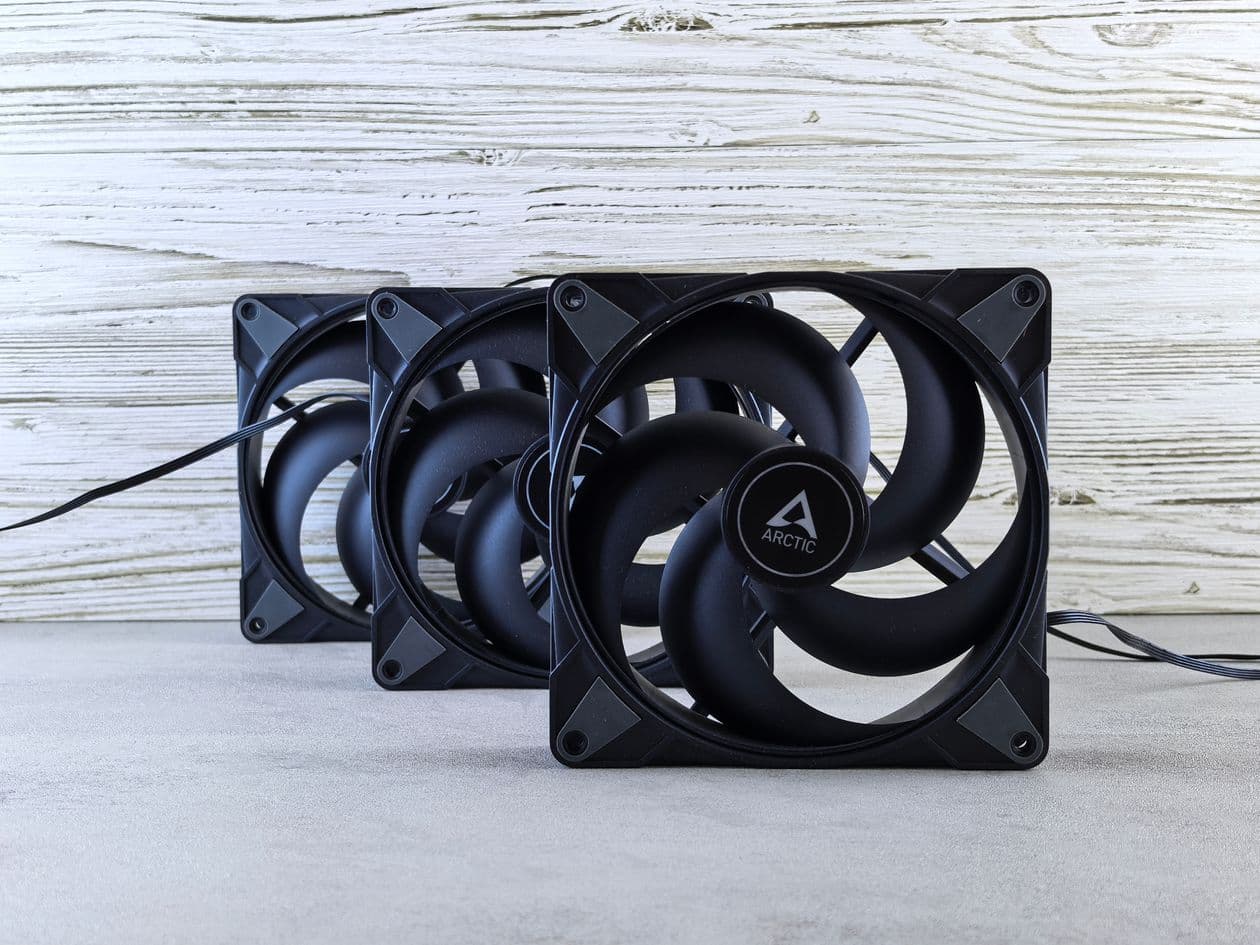
120mm vs. 140mm: Which Fan Size Should You Buy?
The right answer depends on what your case supports. If your case has both 120mm and 140mm mounts, lean toward 140mm for case positions.
Larger blades move more air at lower RPM. At the same noise level, a 140mm fan typically delivers 30-50% more airflow than a 120mm fan. The Phanteks M25-140 Gen2 moves 112 CFM at 33 dB for $6.99 per fan. To get equivalent airflow from 120mm fans, you would need two fans at higher RPM, which means more noise and more cost.
That said, 120mm is not a compromise. Most radiator mounts (240mm, 360mm) use 120mm fans. High-static-pressure 120mm fans are better suited to radiator duty than 140mm options at the same price. And if your case has more 120mm mounts than 140mm, filling them all with 120mm fans is straightforward.
The practical rule: use 140mm for intake and exhaust case positions if your case supports them; use 120mm for radiator mounts and any positions where 140mm does not fit.
Best Budget 120mm Case Fans: Under $10 Per Fan
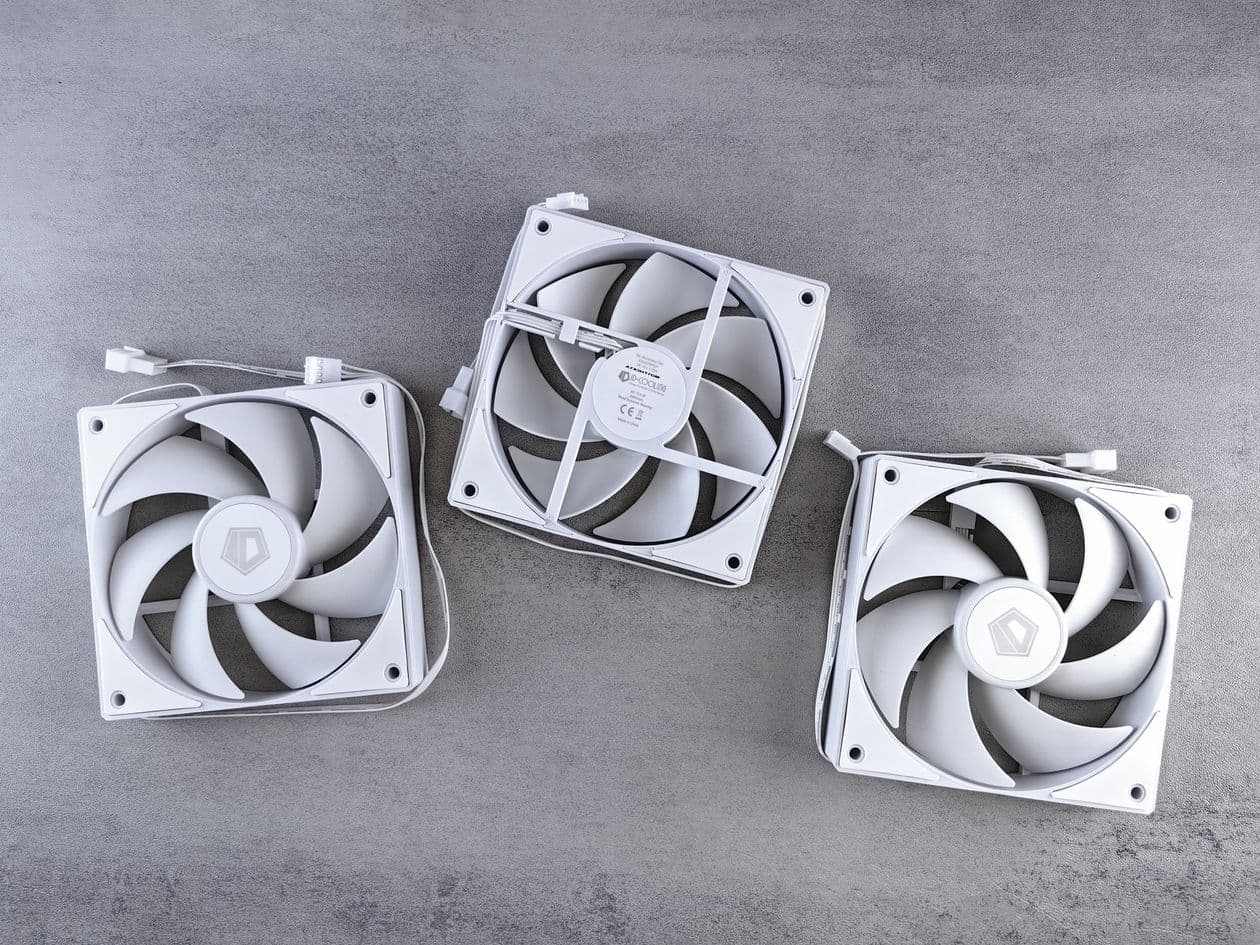
Thermalright dominates the budget 120mm category in 2026. Their fans use fluid dynamic bearings, include ARGB lighting, and deliver airflow numbers that would have cost $20-25 per fan two years ago. If you are setting up a three or six-fan gaming build on a budget, this is where to start.
| Fan | Airflow | Noise | Max RPM | Bearing | Price (each) |
|---|---|---|---|---|---|
| Thermalright TL-C12W-S V3 X3 | 66.3 CFM | 25.6 dB | 1,500 | FDB | ~$4.63/fan ($13.90/3) |
| Thermalright TL-C12W-S V3 | 66.3 CFM | 25.6 dB | 1,500 | FDB | ~$5.49 |
| Thermalright TL-H12W-X28-S | 80.6 CFM | 29.4 dB | 2,150 | FDB | ~$6.59 |
| Thermalright TL-E12B-S V3 | 72.4 CFM | 27.7 dB | 2,000 | FDB | ~$6.99 |
| Arctic P12 PWM PST 5-Pack | 56.4 CFM | 26.8 dB | 1,800 | FDB | ~$8/fan ($39.99/5) |
Best overall: Thermalright TL-C12W-S V3 X3 (~$13.90 for three, $4.63 per fan). This is the lowest price-per-fan in the entire 309-fan database while still delivering 66.3 CFM, ARGB lighting, and PWM control. If you are filling a three-fan or six-fan case on a tight budget, this is the pick. The white blades work especially well in white builds.
Best single fan: Thermalright TL-C12W-S V3 (~$5.49). Same specs as the 3-pack, but worth picking up as a single if you only need one exhaust fan or a replacement.
Best high-airflow budget pick: Thermalright TL-H12W-X28-S (~$6.59). At 80.6 CFM, this is the highest-airflow 120mm fan under $10 in the database. It spins to 2,150 RPM and the noise goes up accordingly (29.4 dB at max), but for a front intake position where you want raw airflow, nothing else at this price comes close.
For five-fan setups: Arctic P12 PWM PST 5-Pack (~$39.99, $8/fan). The PST daisy-chain connector means you can run all five fans from a single PWM header, which is useful in cases without a fan hub. At 56.4 CFM and 26.8 dB, these are quieter than the Thermalright options at comparable airflow.
Best Budget 140mm Case Fans: Under $10 Per Fan
The Phanteks M25-140 Gen2 is the standout value in the entire case fan category, not just 140mm. At $6.99 per fan with 112 CFM of airflow, it delivers performance that matches fans costing three times as much.
| Fan | Airflow | Noise | Max RPM | Bearing | Price (each) |
|---|---|---|---|---|---|
| Phanteks M25-140 Gen2 3-Pack | 111.6 CFM | 33.1 dB | 1,600 | FDB | ~$7.66/fan ($22.99/3) |
| Phanteks M25-140 Gen2 single | 111.6 CFM | 33.1 dB | 1,600 | FDB | ~$6.99 |
| Thermalright TL-C14 | 74.4 CFM | 26.6 dB | 1,500 | FDB | ~$6.90 |
| Arctic P14 Max | 95.1 CFM | N/A | 2,800 | FDB | ~$10.99 |
| Arctic P14 5-Pack | 72.9 CFM | 26.8 dB | 1,700 | FDB | ~$6.80/fan ($33.99/5) |
Best overall: Phanteks M25-140 Gen2 (~$6.99 per fan, $22.99 for three). 112 CFM at $6.99 is the best airflow-per-dollar in the 140mm category. Phanteks uses a fluid dynamic bearing (rated 50,000 hours MTTF) and the fan includes PWM control from 500-1,600 RPM. At 33.1 dB at max RPM, it is not the quietest 140mm option but it is competitive at this price.
Best value 5-fan setup: Arctic P14 5-Pack (~$33.99, $6.80/fan). If you are populating a large case with five or six 140mm fans, the P14 5-pack is the go-to. Slightly lower airflow than the Phanteks M25-140, but rated quieter at 26.8 dB and available in a five-pack.
Quieter budget alternative: Thermalright TL-C14 (~$6.90). At 74.4 CFM and 26.6 dB, this is a step down in raw airflow from the Phanteks but quieter at max RPM. Good fit if noise is a priority and you are willing to trade some airflow.
Best Quiet Case Fans for Silent Builds
Quiet fans prioritize low noise (measured in dB) over maximum airflow. A properly quiet fan runs below 20 dB at typical gaming loads, which is below the ambient noise floor of most rooms.
The tradeoff with quiet fans is airflow. A fan running at 1,200-1,600 RPM max moves less air than a fan spinning at 2,000+ RPM. To compensate, quiet builds need more fans, larger fans (140mm), or better case airflow paths.
Best Quiet 120mm Fans
| Fan | Airflow | Noise | Max RPM | Price |
|---|---|---|---|---|
| be quiet! SILENT WINGS 4 120mm | 48.7 CFM | 18.9 dB | 1,600 | ~$24.90 |
| Noctua NF-A12x25r PWM | 60.1 CFM | 22.6 dB | 2,000 | ~$34.95 |
| Arctic P12 PWM PST 5-Pack | 56.4 CFM | 26.8 dB | 1,800 | ~$8/fan |
Best quiet 120mm: be quiet! SILENT WINGS 4 120mm (~$24.90). At 18.9 dB, this is the lowest noise rating of any 120mm fan in the database. The tradeoff is airflow: 48.7 CFM at max is lower than the Thermalright budget picks. For a bedroom build where noise matters more than peak cooling, the SILENT WINGS 4 is the correct choice. Pair it with a case that has good passive airflow, or use more fans to compensate.
Best quiet 120mm for higher airflow: Noctua NF-A12x25r PWM (~$34.95). At 22.6 dB and 60.1 CFM, Noctua's A12x25 moves more air than the be quiet! option while remaining near-silent. If noise level 22 dB versus 18 dB matters in your specific setup, the be quiet! wins on paper; in practice, both are inaudible over GPU fan noise at gaming loads. The Noctua wins on airflow per noise dB.
Best Quiet 140mm Fans
| Fan | Airflow | Noise | Max RPM | Price |
|---|---|---|---|---|
| be quiet! PURE WINGS 3 PWM 140mm | 57.4 CFM | 21.9 dB | 1,200 | ~$13.90 |
| Noctua NF-A14x25 G2 PWM | 91.6 CFM | 24.8 dB | 1,500 | ~$44.95 |
| Lian Li UNI FAN TL 140 White | 104.1 CFM | 29.0 dB | 1,800 | ~$36.99 |
Best budget quiet 140mm: be quiet! PURE WINGS 3 PWM 140mm (~$13.90). At 21.9 dB and 57.4 CFM, this is the quietest 140mm fan under $20 in the database. Max RPM is 1,200, which is very low: it barely registers acoustically even in a quiet room. The airflow is modest for 140mm, so this works best in well-ventilated cases or as part of a multi-fan setup rather than a two-fan minimum build.
Best premium quiet 140mm: Noctua NF-A14x25 G2 PWM (~$44.95). At 24.8 dB and 91.6 CFM, this is the best combination of quiet and airflow in the 140mm category. Noctua's G2 generation updated the blade geometry from the original NF-A14x25 and the result is a measurable improvement in noise-normalized airflow. At $44.95 per fan, it costs three times more than the Phanteks M25-140 Gen2. The noise premium is real, though: the Phanteks M25-140 Gen2 runs at 33.1 dB at max, which is noticeably louder under heavy load.
Best RGB Case Fans
RGB fans add addressable lighting. The specs underneath the lighting should still match what the position actually needs. A loud high-airflow fan with ARGB is not a good quiet-build choice just because it lights up.
| Fan | Airflow | Noise | RGB Type | Price |
|---|---|---|---|---|
| Phanteks M25-140 Gen2 D-RGB 3-Pack | 111.6 CFM | 33.1 dB | D-RGB | ~$13.33/fan ($39.99/3) |
| Thermalright TL-C12W-S V3 X3 | 66.3 CFM | 25.6 dB | ARGB | ~$4.63/fan ($13.90/3) |
| Corsair RS120 ARGB 3-Pack | 72.2 CFM | 36 dB | ARGB | ~$13.33/fan ($39.99/3) |
| Corsair iCUE LINK RX120 RGB | 73.5 CFM | 36 dB | iCUE RGB | ~$34.99 |
| Lian Li UNI FAN TL 140 White | 104.1 CFM | 29.0 dB | ARGB | ~$36.99 |
Best value RGB: Thermalright TL-C12W-S V3 X3 (~$13.90 for three). At $4.63 per ARGB fan, no other option in the database comes close on price. The 5V ARGB output is compatible with most motherboard ARGB headers. If you want lighting without spending more than $15 on three fans, this is the answer.
Best performance RGB 140mm: Phanteks M25-140 Gen2 D-RGB 3-Pack (~$39.99 for three). 112 CFM per fan with D-RGB lighting for $13.33 each. This is the same core fan as the non-RGB M25-140 Gen2, just with addressable lighting added. For a three-fan intake setup in a mid-tower case, the performance justifies the price.
Best ecosystem pick: Corsair iCUE LINK RX120 RGB (~$34.99 each). The iCUE LINK system connects fans through a single USB-C cable to the hub rather than individual ARGB headers. If you are already building in a Corsair iCUE ecosystem (4000D Airflow, 5000D), this integrates cleanly. At $34.99 per fan versus $4.63 for the Thermalright ARGB option, you are paying for ecosystem compatibility and software control.
Best RGB 140mm for quiet builds: Lian Li UNI FAN TL 140 White (~$36.99). 104.1 CFM at 29.0 dB with full ARGB. The noise floor is between the budget options and the premium quiet picks, making this a good all-rounder for a white build that wants both aesthetics and solid airflow.
Best High-Static-Pressure Fans for Radiators

Radiator positions need static pressure, not raw airflow. A high-CFM fan with low static pressure loses significant performance when pushing air through a radiator's dense fins. The metric to check is mmH2O: higher is better for radiator mounts.
| Fan | Airflow | Static Pressure | Noise | Price |
|---|---|---|---|---|
| Arctic P12 PWM PST 5-Pack | 56.4 CFM | 2.2 mmH2O | 26.8 dB | ~$8/fan ($39.99/5) |
| Noctua NF-A12x25r PWM | 60.1 CFM | 2.34 mmH2O | 22.6 dB | ~$34.95 |
| Phanteks T30-120 | 101.1 CFM | 7.11 mmH2O | 39.7 dB | ~$39.99 |
| Thermaltake TOUGHFAN 14 2-Pack | 119.3 CFM | 3.54 mmH2O | 33.2 dB | ~$19.18/fan ($38.35/2) |
For budget 240mm AIO radiators: Arctic P12 PWM PST 5-Pack (~$39.99 for five). The "P" in Arctic's naming stands for pressure-optimized. At 2.2 mmH2O static pressure and 56.4 CFM, the P12 is purpose-built for radiator mounts. The PST daisy-chain connector simplifies wiring on a 240 or 360mm AIO.
For premium 360mm AIOs: Noctua NF-A12x25r PWM (~$34.95). Noctua's 25mm-thick A12x25 is the reference benchmark for 120mm fans on premium coolers. At 2.34 mmH2O static pressure and 22.6 dB, it outperforms the Arctic P12 on noise while remaining competitive on pressure. For an enthusiast build where radiator performance matters, this is the correct choice.
For maximum cooling throughput: Phanteks T30-120 (~$39.99). The T30-120 spins to 3,000 RPM and delivers 101.1 CFM with 7.11 mmH2O static pressure, the highest in the database for 120mm fans. It is loud at max (39.7 dB), but at partial load controlled by a PWM curve it runs quietly. Used by many builders on custom water cooling loops where thermal performance is the priority.
What the Specs Actually Mean
Before buying, these are the three specs that actually matter:
Airflow (CFM): Cubic feet per minute. Measures how much air a fan moves in open air. For case intake and exhaust positions with no obstruction, higher CFM means better cooling. 50-70 CFM is solid for a 120mm fan; 90-120 CFM is competitive for a 140mm fan.
Static pressure (mmH2O): How well a fan pushes air against resistance. Radiator fins, CPU cooler heatsink grids, and dust filters all create resistance. For positions with restriction, a high-static-pressure fan (2+ mmH2O for 120mm) outperforms a high-CFM fan with low static pressure. For open case positions, static pressure matters less.
Noise (dB): Measured at max RPM. A fan rated at 19-22 dB is near-inaudible. 25-28 dB is quiet under normal conditions. 30-36 dB is audible under heavy load. PWM fans run at much lower RPM during idle and light gaming, so the max dB rating is a worst-case figure, not the typical operating noise.
Bearing type: Fluid dynamic bearings (FDB) are the current standard for longevity. Most quality fans from Thermalright, Noctua, Phanteks, Arctic, and be quiet! use FDB with rated lifespans of 40,000-150,000 hours. Sleeve bearings are cheaper and quieter initially but wear faster. Ball bearings are durable but noisier. Stick to FDB for any fan you expect to run for more than two years.
Connector type: Most modern case fans use 4-pin PWM connectors (speed control) or 3-pin DC connectors (voltage-based speed control). 4-pin PWM gives the motherboard precise fan speed control based on temperature. Always prefer 4-pin PWM. The 5V ARGB connector (3-pin) handles lighting separately.
The 309-fan dataset behind this guide is sourced from the MaxMyBuild component database, which tracks in-stock fans by CFM, static pressure, bearing type, and live pricing.
How Many Case Fans Does a Gaming PC Need?
Two fans is the functional minimum: one intake, one exhaust. Most cases include one rear 120mm exhaust fan as standard, which covers exhaust. You need at least one intake fan to complete the airflow loop.
Realistic recommendations by build type:
| Build Type | Fan Setup | Why |
|---|---|---|
| Budget / entry-level | 1 front intake + 1 rear exhaust | Covers basic positive pressure airflow |
| Mid-range gaming | 2-3 front intake + 1 rear exhaust | Keeps GPU and CPU temps under control |
| High-end gaming (RTX 5080+) | 3 front intake + 1-2 top exhaust + 1 rear exhaust | High GPU heat load needs more exhaust paths |
| AIO water cooling | AIO fans + 1-2 case intakes + 1 rear exhaust | Radiator handles CPU heat; case fans manage GPU |
The goal is positive pressure: slightly more intake than exhaust. This reduces dust intake through unfiltered gaps and keeps internal temps consistent. Equal intake and exhaust is also acceptable. Negative pressure (more exhaust than intake) increases dust and typically does not improve cooling.
For a full explanation of how case airflow, PSU sizing, and component TDP fit together, the TDP and power sizing guide covers that relationship in detail.
Getting the Full Build Right
Case fans handle airflow. The right case determines how many fans you can run and where, which is why the two decisions are connected. For a ranked breakdown of which cases have the best airflow paths at each price tier, see the best airflow PC case guide, or for an all-around pick weighing price, size, and noise together, see the best PC case for gaming guide.
A case with three 140mm front intake mounts and two 120mm top exhaust mounts gives you significantly more airflow capacity than a case with two 120mm front mounts. Check the fan mount count in any case spec sheet or review before committing to a fan count — the number and size of available mounts determines how much airflow headroom you actually have.
For a complete gaming PC where component selection, airflow, PSU sizing, and pricing are handled automatically, the PC Builder at MaxMyBuild generates a fully compatible parts list at any budget. Fan recommendations are included as part of the build output based on the case you select.
If you are figuring out how much wattage your build needs before choosing a PSU to pair with your fans and case, the best PSU for gaming guide has the current recommendations by wattage tier.