Best Airflow PC Case in 2026: Ranked by Thermal Benchmark Data
This guide contains affiliate links. If you buy through them, we may earn a commission at no extra cost to you.
The best airflow PC case in 2026 is the one that keeps your CPU and GPU coolest under sustained load. The MaxMyBuild component database has thermal benchmark data for 85 cases, measuring CPU and GPU temperature deltas above ambient under sustained gaming load. Lower = better cooling. The Lian Li Lancool 207 leads the database at CPU 38.1°C (100.6°F) and GPU 38.2°C (100.8°F) — the best thermal balance across all 85 cases, at ~$80.
This guide covers the top picks based on MaxMyBuild database benchmarks. All scores are measured temperatures. All prices are approximate US retail from June 2026.
Some links on this page are affiliate links. If you buy through them, MaxMyBuild earns a small commission at no extra cost to you. Prices shown are approximate US retail prices from June 2026 and change frequently; check current listings before buying.
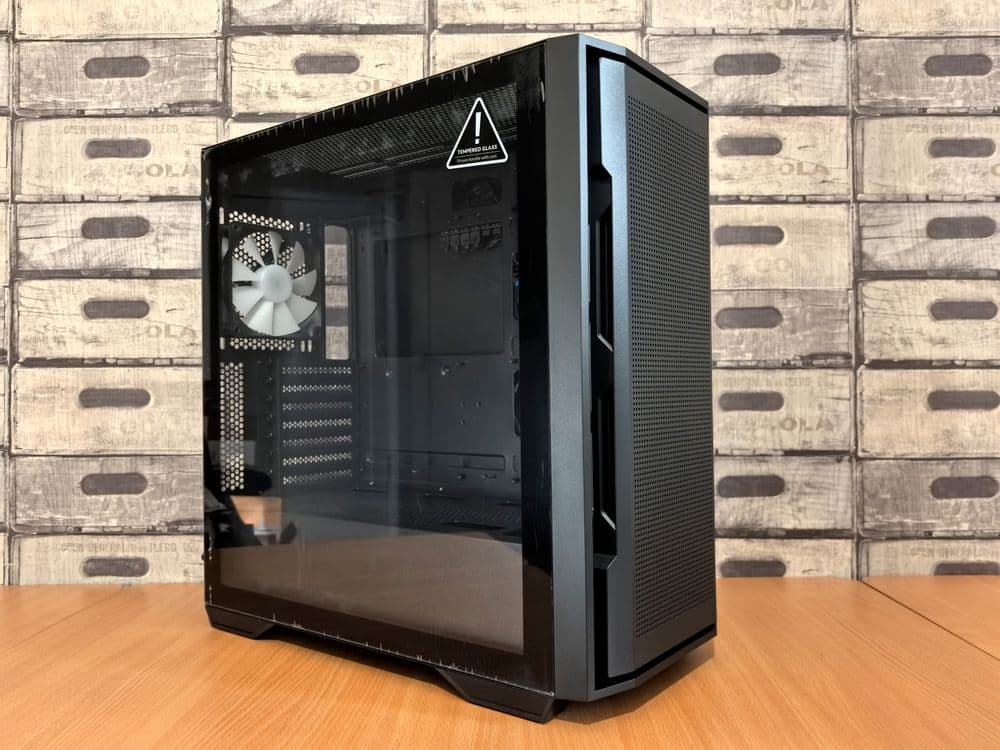
What Makes a PC Case Good for Airflow?
Three things determine airflow performance: front panel openness, fan density, and positive pressure setup.
Front panel openness is the biggest single variable. A mesh-front case lets intake fans draw in cold air with almost no restriction. A glass or solid front panel blocks most of that intake, forcing fans to spin faster to compensate. The MaxMyBuild database shows this consistently: mesh-front cases average 8–15°C (14–27°F) lower GPU temperatures than glass-front cases at comparable price points.
Fan density determines how much cold air you can move across the GPU and CPU per minute. CFM (cubic feet per minute) is the standard measure of fan airflow — a higher number means more air moved per minute. Mid-towers that support three 140mm front fans can move considerably more air at lower noise than cases limited to two 120mm fans. The Phanteks XT Pro Ultra includes four M25-140 fans; a single M25-140 moves 112 CFM at 33 dB, giving you 448 CFM of potential intake capacity out of the box.
Positive pressure means your intake fans collectively move more air than your exhaust fans. This prevents unfiltered dusty air from entering through case gaps and reduces long-term buildup on heatsinks and GPU coolers. For most gaming builds, two or three front intake fans plus one rear exhaust gives positive pressure without needing a top fan.
Full Benchmark Comparison: Airflow Cases Ranked
All cases in the table below have thermal benchmark data in the MaxMyBuild database. Scores are CPU and GPU temperature deltas above ambient measured under sustained gaming load — lower is better cooling. Noise is max dB at full fan speed.
| Case | Front Panel | CPU Temp °C (°F) | GPU Temp °C (°F) | Max Noise | Price |
|---|---|---|---|---|---|
| Lian Li Lancool 207 | Mesh | 38.1 (100.6) | 38.2 (100.8) | 41.6 dB | ~$80 |
| Phanteks XT Pro Ultra | Mesh | 40.3 (104.5) | 43.1 (109.6) | 43.9 dB | ~$88 |
| Corsair 6500D Airflow | Mesh | 41.1 (106.0) | 48.9 (120.0) | 40.8 dB | ~$200 |
| Fractal Design Pop Air | Mesh | 44.8 (112.6) | 49.2 (120.6) | 31.3 dB | ~$90 |
| be quiet! Light Base 600 LX | Glass | 48.0 (118.4) | 52.3 (126.1) | 30.9 dB | ~$185 |
| Silverstone FARA 515XR | Mesh | 48.4 (119.1) | 51.5 (124.7) | 31.8 dB | ~$68 |
| Montech XR | Glass | 48.7 (119.7) | 60.9 (141.6) | 36.6 dB | ~$73 |
| Montech King 65 Pro | Glass | 49.8 (121.6) | 56.6 (133.9) | 37.8 dB | ~$100 |
| Hyte Y60 | Glass (dual-chamber) | 50.6 (123.1) | 51.8 (125.2) | 30.1 dB | ~$200 |
All data from the MaxMyBuild database, June 2026. Temperature delta above ambient; lower = better cooling.
The glass-front pattern is consistent across the database: all four glass-front cases run 10°C (18°F) or more hotter on the GPU than the Lancool 207. The Montech XR's GPU temperature of 60.9°C (141.6°F) is the highest in the entire 85-case database — a glass front with no mesh intake path means the GPU has nowhere to pull cold air from. The Y60's dual-chamber design keeps its GPU temperature more competitive than the other glass cases, but its CPU temperature of 50.6°C (123.1°F) is the highest in this group.
Best Overall: Lian Li Lancool 207 (~$80)
The Lancool 207 has the best thermal balance of any case in the MaxMyBuild database: CPU 38.1°C (100.6°F) and GPU 38.2°C (100.8°F) above ambient, with a max noise of 41.6 dB at full fan speed. No other case in the database achieves lower temperatures on both CPU and GPU simultaneously.
It ships with four pre-installed fans — two 140x30mm and two standard 140mm — through a dual-layer perforated mesh front. GPU clearance reaches 400mm, covering the full RTX 5000 lineup. The front USB-C port is included on the standard model.
At ~$80, the extra cost over the XT Pro Ultra buys quieter fan operation (the thicker 140x30mm fans move the same air at lower noise), the USB-C front header, and better cable routing. For any build where you want the best measurable cooling in the database without going above $100, this is the pick.
Best Budget: Phanteks XT Pro Ultra (~$88)
The XT Pro Ultra is the second-best cooling case in the database at CPU 40.3°C (104.5°F) and GPU 43.1°C (109.6°F), and it includes four M25-140 fans out of the box. Our best case fans guide identifies the M25-140 as the best 140mm value at $6.99 each — four of them retail for ~$28, making the case itself effectively ~$60 when you factor out the fans.
Fan support is broad: three 140mm front intake, two 140mm top, one 140mm rear. GPU clearance is 520mm — the widest in this comparison, covering every triple-slot RTX 5090 variant. The base black model does not include a USB-C front port; if that matters to you, step up to the Lancool 207.
Best Under $70: Silverstone FARA 515XR (~$68)
The FARA 515XR is the lowest-priced case in the database with full thermal benchmark data: CPU 48.4°C (119.1°F), GPU 51.5°C (124.7°F), max noise 31.8 dB. It ships with four included fans and a full mesh front.
The white model (SST-FA515XR-WG) regularly lists below the black version at roughly $55, making it one of the best-value cases in the database. The main limitations are a shorter GPU clearance (350mm) compared to larger cases, and no USB-C front header — the main reason to step up to the Lancool 207 for high-end GPU builds.
For a tight-budget build where you want real measured thermal data behind your case pick, this is where to start.
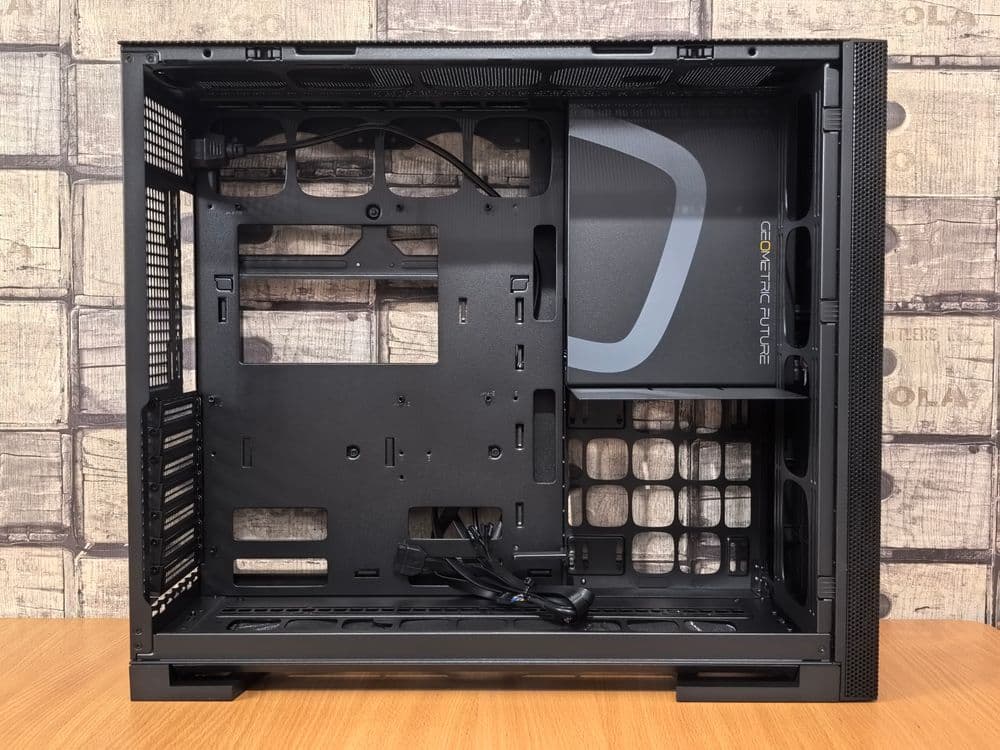
Best for Noise-Sensitive Builds: Hyte Y60 (~$200)
The Y60 is the quietest case in the MaxMyBuild database at 30.1 dB max. If acoustic noise matters more than outright thermal performance, it is the pick — with a clear-eyed view of the trade-off.
The data is direct: the Y60 has the highest CPU temperature in this comparison at 50.6°C (123.1°F), which is 12.5°C (22.5°F) hotter than the Lancool 207. GPU temperatures of 51.8°C (125.2°F) are better than the other glass-front cases in the database, which is the dual-chamber design working as intended — the GPU sits in its own lower chamber with a dedicated intake path. But no glass-front case, including the Y60, matches the GPU temperatures of any mesh-front case in this comparison.
For builds running an RTX 5060 Ti or below, where GPU TGP stays under 200W, the temperature penalty is manageable and the acoustics are genuinely excellent. For anything drawing more than 250W GPU TGP, the thermal gap is large enough to affect sustained gaming performance — and the Lancool 207 or XT Pro Ultra are better choices.
Mesh Front vs. Glass Front: What the Data Shows
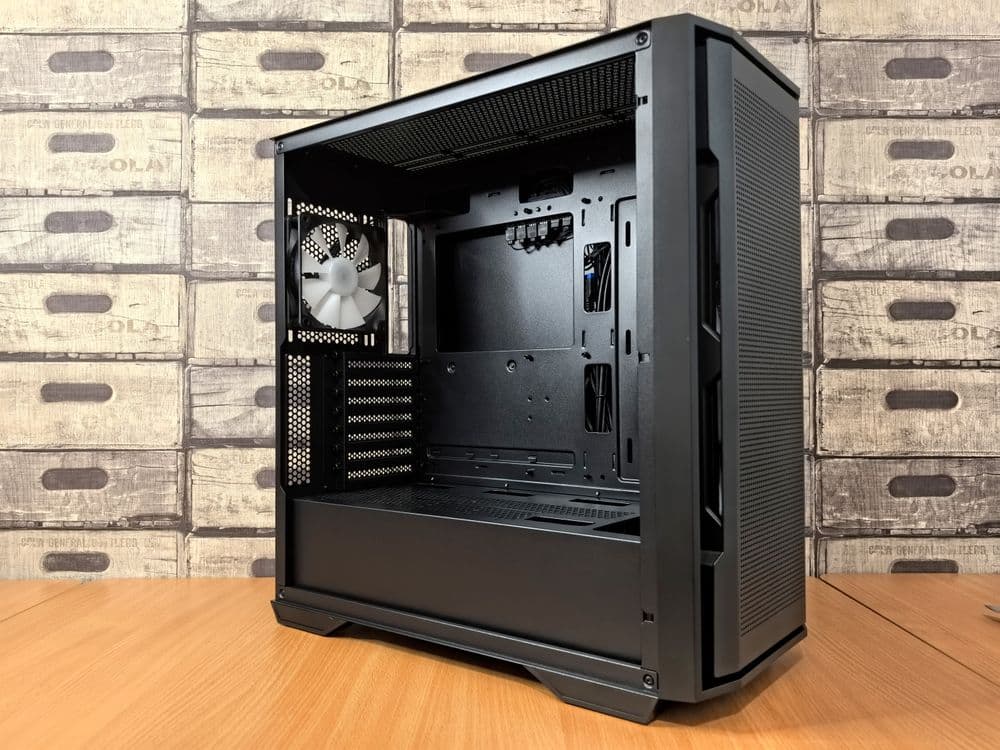
The database makes this concrete. Among the 85 cases with benchmark data, mesh-front cases average 8–12°C (14–22°F) lower CPU temperatures and 8–15°C (14–27°F) lower GPU temperatures than glass-front cases at similar price points.
When mesh matters most:
- GPU TGP above 250W (RTX 5070 Ti, RTX 5080, RTX 5090)
- Builds with a large air cooler that needs consistent cold airflow
- Silent builds where you want fans spinning as slowly as possible
- Any build that will run sustained workloads (gaming sessions of 3+ hours, rendering, streaming)
When glass front is acceptable:
- GPU TGP under 200W (RTX 5060 Ti, RX 9070 standard)
- Builds using a 360mm AIO that exhausts heat through the top rather than relying on front intake
- Dual-chamber designs (Hyte Y60) where the GPU has its own intake path
The dual-chamber exception: Cases like the Hyte Y60 use a dividing wall that gives the GPU its own intake, partially offsetting the glass-front restriction. The Y60's GPU temperature of 51.8°C (125.2°F) is better than the other glass-front cases in the database. It does not, however, beat any mesh-front case — the best glass-front GPU temperature in the database is still 3.6°C (6.5°F) hotter than the XT Pro Ultra.
Fan Setup: Maximizing Airflow in Any Case
The right fan setup matters as much as the case choice. A good mesh case with poor fan configuration will lose ground to a mediocre case with an ideal fan setup.
Positive pressure baseline (minimum viable):
- Two front 140mm intake fans
- One rear 120mm exhaust fan
- Run intake at 10–15% higher RPM than exhaust
Strong setup for gaming builds (RTX 5070 and above):
- Three front 140mm intake fans
- One rear 120mm or 140mm exhaust fan
- Optional: one top 140mm exhaust fan for hot air above CPU
AIO builds (360mm top-mounted radiator):
- Two or three front 140mm intake fans for GPU
- 360mm radiator at top as exhaust (pulling heat out directly)
- One rear 120mm exhaust for residual hot air
- Do not add top fans that compete with the radiator exhaust
For fan recommendations at every price point, the best case fans guide covers airflow (CFM), noise levels (dB), and bearing types for 309 in-stock fans in the MaxMyBuild database.
ATX Airflow Case Clearance: GPU Length and CPU Cooler Height
Most best-airflow ATX cases in this guide support standard ATX motherboards, but GPU clearance and CPU cooler height limits vary enough to matter for high-end builds.
| Case | GPU Max Length | CPU Cooler Max Height | Form Factor |
|---|---|---|---|
| Phanteks XT Pro Ultra | 520mm | 185mm | ATX |
| Montech XR | 420mm | 175mm | ATX |
| Fractal Design Pop Air | 405mm | 170mm | ATX |
| Lian Li Lancool 207 | 400mm | 173mm | ATX |
| Hyte Y60 | 375mm | 160mm | ATX/E-ATX |
| Silverstone FARA 515XR | 350mm | 159mm | ATX |
The Phanteks XT Pro Ultra's 520mm GPU clearance is the widest in this group, covering even the longest triple-slot RTX 5090 founders editions. The FARA 515XR's 350mm cap is the main reason to step up to the Lancool 207 for high-end GPU builds.
For more on GPU size and case fit, the GPU size and case clearance guide explains how to measure your GPU and verify clearance before buying.
Which Airflow Case Should You Buy?
Three scenarios cover most builds:
Under $75: Phanteks XT Pro Ultra. Four M25-140 fans included, CPU 40.3°C (104.5°F) and GPU 43.1°C (109.6°F), 520mm GPU clearance. The second-best cooling case in the database at a price that includes the fan content.
$75–$100: Lian Li Lancool 207. Best CPU and GPU thermal balance in the entire MaxMyBuild database, USB-C front port, quieter 140x30mm fans. Worth the extra ~$8 over the XT Pro Ultra if noise levels matter or you want the top measurable cooling at this price.
Under $70: Silverstone FARA 515XR. Real thermal data, four included fans, mesh front at $68. The right pick for tight-budget builds that still want measured performance behind the choice.
If cooling performance isn't your only priority and you also want to weigh Mini-ITX options, noise levels, and showcase builds against the same benchmark data, the best PC case for gaming guide covers the full set of scenarios.
If you're still deciding between components, the PC Builder at MaxMyBuild matches your budget to a fully compatible parts list with live retail pricing, including a compatible case for your GPU and motherboard.