How to Use MaxMyBuild: PC Build Generator Guide
This guide contains affiliate links. If you buy through them, we may earn a commission at no extra cost to you.
Building a gaming PC doesn't have to mean weeks of research, spreadsheet comparisons, and second-guessing every decision. The PC Builder at MaxMyBuild removes the hardest part — figuring out what to buy — so you can focus on the part that's actually satisfying: building and playing.
This guide explains how the PC Builder works, what it gives you, and what to do once you have your parts list.
Why Picking PC Parts Is Harder Than It Should Be
The physical assembly of a PC is genuinely straightforward — plug things in, follow a guide, done. What trips people up is everything that happens before that: deciding what to buy.
The compatibility problem. PC components have to work together in ways that aren't obvious from looking at a parts list. A case that doesn't fit your cooler. A motherboard that doesn't support your memory configuration. A power supply that looks adequate on paper but throttles under full load. These incompatibilities don't announce themselves until you've bought everything — or, worse, until something fails months later.
The choice overload problem. There are hundreds of options in every component category. Some are exceptional value at a given price point, some are overpriced, and most are somewhere in the middle. Benchmarks help, but reading through them takes hours, they go stale fast, and they rarely answer the actual question: what should I buy for my budget, for my use case, right now?
The stale information problem. PC hardware pricing moves constantly. A guide written six months ago might recommend a configuration that's now overpriced, discontinued, or outclassed by something newer at the same price point. Most static articles — including the ones ranking at the top of Google — can't keep up with price and release cycles.
The conflicting advice problem. Post your build on Reddit and you'll get a dozen different opinions, half of them contradicting each other, several recommending what the poster happens to own.
What the PC Builder at MaxMyBuild Does
MaxMyBuild is a free PC build generator. You enter your total budget. It returns a complete, fully compatible gaming PC build — every component you need, selected to deliver the best gaming performance at that price point, with pricing refreshed every few hours from real retailers.
No account. No subscription. No upselling.
What it handles automatically:
- Compatibility checking. Every component in your build is verified to work with every other component — socket compatibility, memory support, case clearances, power headroom. You don't have to check any of this manually.
- Up-to-date pricing. Builds are priced against recent retail listings, refreshed every few hours depending on the retailer. If memory prices rise, the build reflects that. If a GPU drops, you benefit.
- Performance optimisation. At any given budget, there are dozens of valid configurations. The PC Builder selects the combination that delivers the best gaming performance for the money — based on benchmark data, not brand loyalty or sponsored placements.
What an actual result looks like. Enter your budget and the PC Builder returns a complete parts list — CPU, motherboard, RAM, storage, GPU (graphics card), PSU (power supply), case, cooler — with current retail pricing and buy links. No configuration needed; the selection is done for you.
How to Use MaxMyBuild — Step by Step
Step 1: Go to MaxMyBuild. No account creation, no email required.
Step 2: Enter your total budget. This is your hardware budget for the PC build itself. It doesn't include peripherals (monitor, keyboard, mouse, headset) or an operating system licence. If this is your first PC setup, plan for roughly 30–40% on top of your build budget to cover those. Not sure what number to enter? See how to set your gaming PC budget.
Step 3: Review the recommended build. The PC Builder returns a full parts list with current pricing. Check that the total falls within your budget and that all the components you need are included. If you want to swap a part — because you already own a case, for example — you can do that manually.
Step 4: Buy the parts. Each component links to current retail pricing. You can buy everything from one retailer or spread it across a few — either works fine.
Most people go from "no idea what to buy" to a complete parts list with buy links in under five minutes.
What Your Build Includes
A MaxMyBuild recommendation covers every component needed to build a working gaming PC:
Graphics card (GPU) — the single most important component for gaming performance. Determines the resolution and frame rates your system can sustain. The PC Builder allocates the largest share of any gaming budget here.
Processor (CPU) — handles game logic, AI, and physics. Modern games are increasingly CPU-sensitive; the PC Builder selects a processor that won't bottleneck the GPU in your build.
Motherboard — the board everything connects to. Compatibility with the CPU socket, memory type, and case form factor is handled automatically.
Memory (RAM) — capacity and speed matched to the build tier. Under-specing memory is one of the most common budget mistakes; the PC Builder accounts for this.
Storage — fast primary storage for your OS and game library. Load times matter more than most buyers realise until they've experienced the difference.
Power supply (PSU) — sized with headroom above the system's actual draw under load, not just the minimum. A PSU that runs close to its rated limit degrades faster and throttles under load. This is one of the most commonly cut corners in manual builds.
Case — compatible with your motherboard size and cooler height, with adequate airflow for the components inside.
CPU cooler — appropriate for the processor's thermal output and the case dimensions.
Every item is cross-checked against every other item before it appears in your build.
Common Questions
Is MaxMyBuild actually free?
Yes. No trial period, no premium tier, no account required. The PC Builder is free to use directly at MaxMyBuild.
What if I want to change a part?
The build is a starting point, not a contract. If you already own a case, want a specific brand, or have a component from a previous build, you can substitute it. For compatibility questions on a specific swap, r/buildapc is a reliable resource.
How is MaxMyBuild different from PCPartPicker?
PCPartPicker is a manual part picker — you select each component yourself and it checks whether they're compatible. MaxMyBuild does the selection for you. It's for people who want a complete, optimised answer rather than a compatibility checker. Different tools for different needs.
How current is the pricing?
Prices are refreshed every few hours from retail listings (the exact interval varies by retailer). The build reflects recent real-world prices, not a months-old snapshot — but if you're buying today, it's worth double-checking the final price at checkout.
Does it work for esports builds as well as AAA gaming?
Yes. The PC Builder optimises the component mix for gaming performance at each budget tier. A lower budget gets a build tuned for high frame rates in competitive titles; a higher budget unlocks heavier configurations suited to demanding single-player games. Enter your number and the PC Builder handles the trade-offs.
What about peripherals — monitor, keyboard, mouse?
MaxMyBuild covers the PC build only. Budget separately for peripherals and an operating system licence for a complete first-time setup.
Which countries does MaxMyBuild support?
The PC Builder currently supports the US market, with pricing from US retailers. The parts list is valid internationally — the same components are available worldwide — but retailer links and prices reflect US availability.
What Comes Next: From Parts List to Built PC
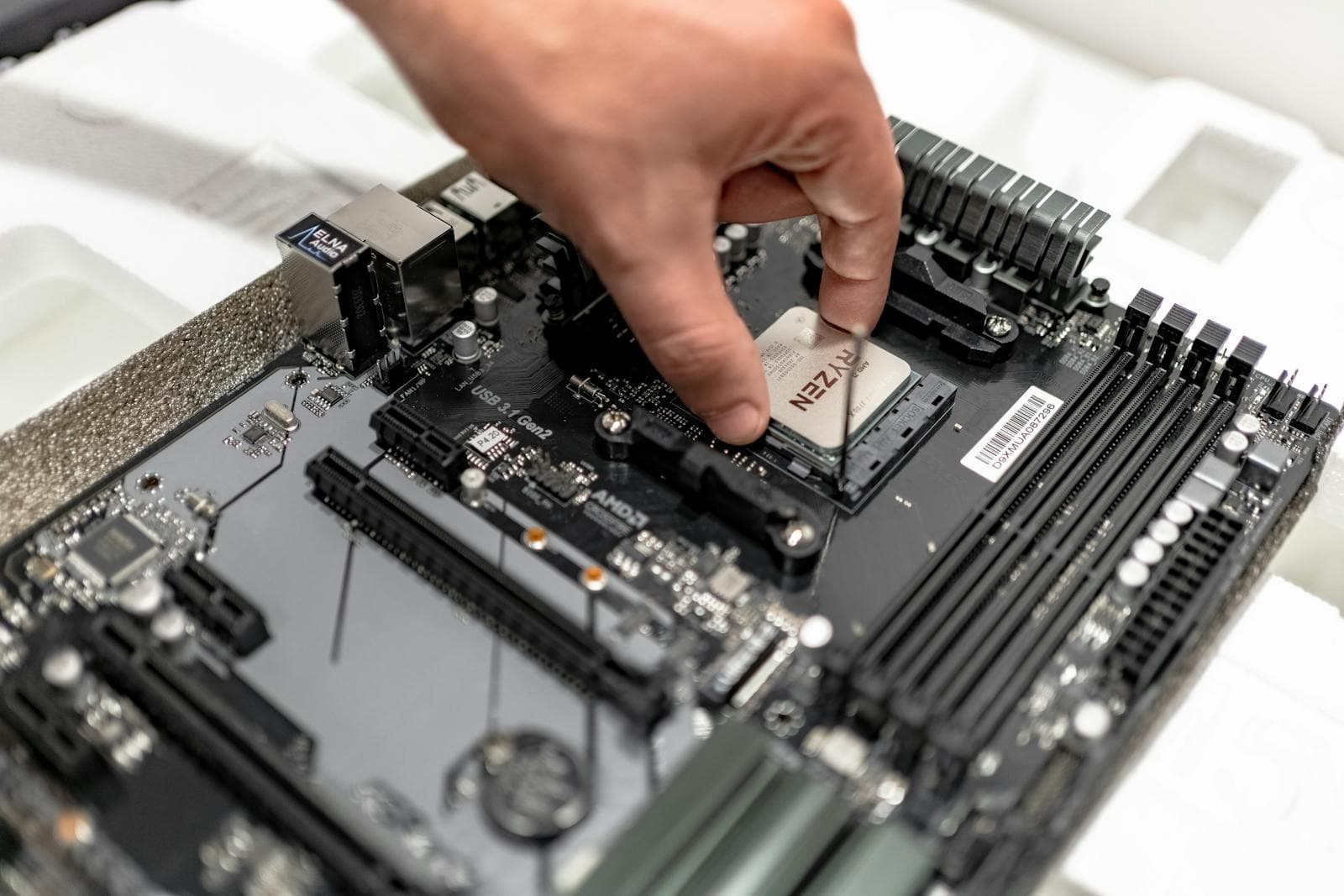
Once you have your parts list and have placed your orders, the assembly process is what most "how to build a PC" guides actually cover. The physical build — installing the CPU, mounting the cooler, seating the GPU, connecting the cables, first boot — is well-documented and genuinely manageable for a first-time builder.
For assembly, Linus Tech Tips' beginner build guide on YouTube is the most widely recommended starting point. Follow a guide specific to your case size and you'll have a working system on the first try in most cases.
The part the PC Builder handles — deciding what to buy — is the part that trips most people up. The assembly itself is just following instructions.
Frequently Asked Questions
Do I need to know anything about PC hardware to use MaxMyBuild?
No. The PC Builder is built specifically for people without a hardware background. You enter a number. It handles compatibility, pricing, and optimisation.
Is building a PC better than buying a prebuilt?
At the same price, a custom build consistently outperforms a prebuilt. You're not paying for assembly margins or lower-tier components in the roles that matter most. MaxMyBuild removes the main barrier to building — figuring out what to buy — while keeping the performance advantage of a custom build.
How long does it take to get a build recommendation?
Under a minute. The PC Builder returns a complete build as soon as you enter your budget.
Can I save my build and come back to it?
The build is available immediately on the results page. For longer-term reference, save or screenshot the parts list — no account is needed to access it.
What if component prices change between when I get the build and when I buy?
Run the PC Builder again before purchasing — it only takes seconds. Prices are refreshed every few hours, so re-running gives you the most recent data. Always confirm the final price at checkout before placing an order.